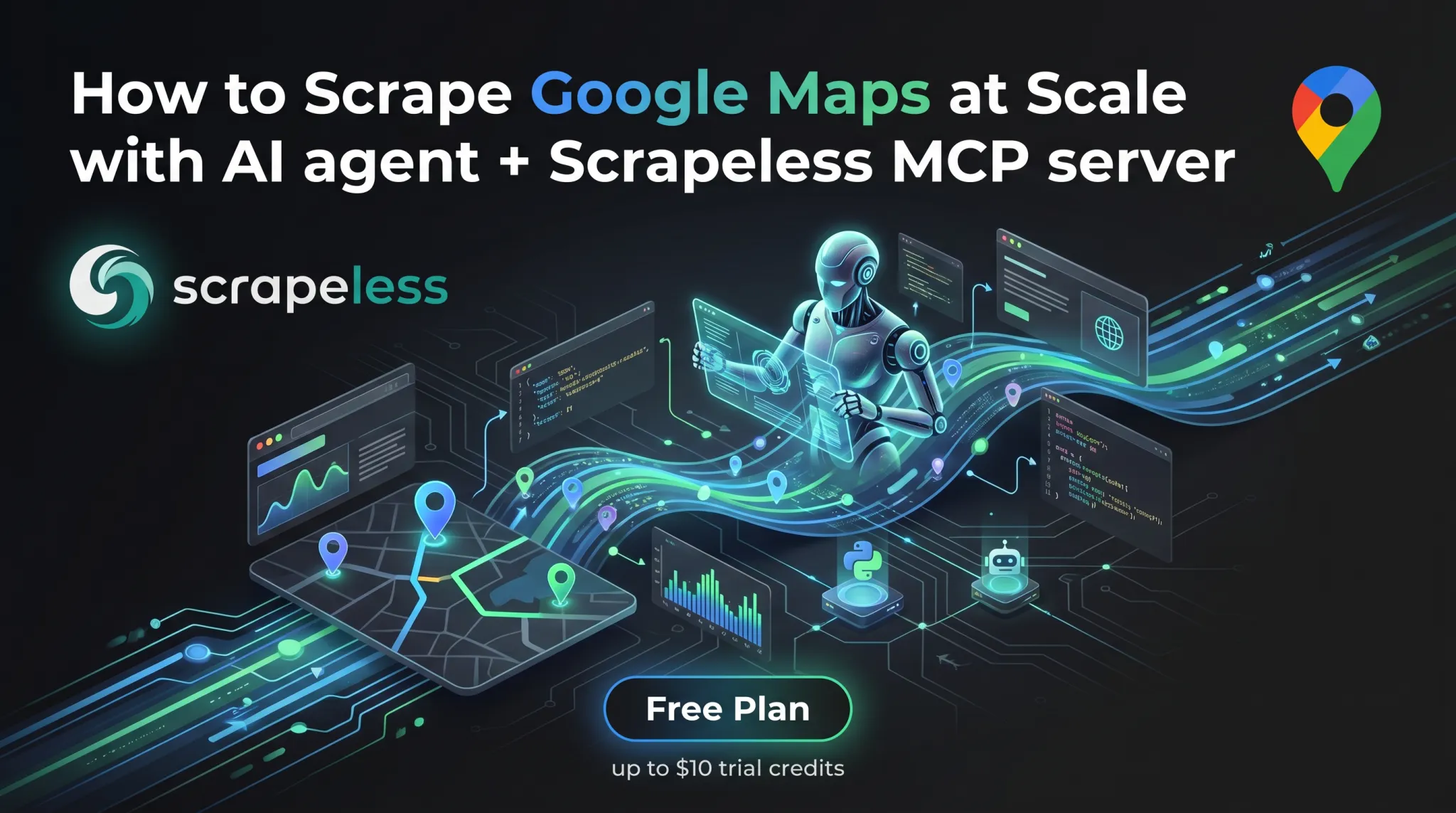
How to Scrape Google Maps at Scale with AI agent and Scrapeless MCP server

Advanced Bot Mitigation Engineer
Key Takeaways:
- Works in any client that supports MCP. The Scrapeless MCP Server exposes the cloud browser as a set of Model Context Protocol tools — Claude Desktop, Claude Code, Cursor, OpenAI Codex CLI, Gemini CLI, VS Code + GitHub Copilot Chat, or a custom client built against the MCP TypeScript SDK all call them the same way. The protocol is what's load-bearing, not the client. No SDK glue, no CLI subprocess management.
- Browser primitives compose into a Google Maps scraper. The server ships generic browser tools —
browser_create,browser_goto,browser_wait_for,browser_get_html,browser_get_text,browser_click,browser_type,browser_press_key,browser_scroll,browser_scroll_to,browser_screenshot,browser_snapshot,browser_close— and the agent assembles them into the search → scroll → extract flow that Google Maps requires. - Two transport modes. Stdio mode runs the server locally via
npx scrapeless-mcp-serverand is the right default for desktop MCP clients on a workstation. HTTP streamable mode points the client athttps://api.scrapeless.com/mcpand is the right default for cloud-hosted agents. - Cloud rendering plus residential proxies. Google Maps is a JavaScript-heavy SPA that lazy-loads results as a feed. Scrapeless Scraping Browser handles JS rendering, residential-proxy egress, and anti-detection fingerprinting on every session — the agent only has to drive the page. Sessions allocate through the proxy region the Scrapeless account is configured for; no per-call region override is exposed through the MCP tool surface today.
- Per-query result-list cap. Google Maps shows up to 120 results per query in the side feed. Beyond that, the strategy is a geographic grid: tile the search area into smaller bounding boxes, run one query per tile, and dedupe by place id.
- Free to start. New Scrapeless accounts include free Scraping Browser runtime — sign up at Scrapeless.
Introduction: an MCP-native path to Google Maps data
Google Maps is one of the richest public business datasets on the open web — names, addresses, ratings, review counts, opening hours, photo links, category tags, contact details, and a stable place id for every entry. For local-SEO teams, lead-generation pipelines, real-estate analytics, and competitor-location mapping, that data set is the foundation of the workflow.
The page itself is hard to drive without a real browser. The map view loads its own SDK, the side panel paginates by lazy-loading as the feed scrolls, individual place detail panels open through user clicks, and result counts cap out at around 120 per query. Pure-HTTP scraping returns the JS shell; the data lives behind the rendered DOM.
This post walks through using the Scrapeless MCP Server with any MCP-aware client — Claude Desktop, Claude Code, Cursor, OpenAI Codex CLI, Gemini CLI, or a custom client built against the MCP TypeScript SDK — to scrape Google Maps end to end. The server wraps Scrapeless Scraping Browser — an agent-ready cloud browser — as a set of MCP tools, so the agent calls browser_create / browser_goto / browser_scroll / browser_get_html directly through the protocol rather than shelling out to a CLI or wiring up an SDK. The cloud browser handles the rendering, the proxies, and the anti-detection layer; the agent handles the discover → extract pattern.
For the same target through a different integration surface, see the LangChain agent post or, for the bash CLI version, the broader search engines post.
What You Can Do With It
- Local lead generation. Pull every dentist, plumber, or coffee shop in a target city with name, address, phone, website, hours, rating, and reviewCount.
- Local SEO competitive analysis. Track competitor-location ranking on category-keyword queries and the surrounding listings on the same SERP.
- Real-estate and POI dataset building. Build categorized point-of-interest tables — restaurants by cuisine, retail chains by region, public services by zip — refreshed on a rolling cadence.
- Reputation tracking. Snapshot per-location rating, review count, and review-velocity across a multi-location brand to surface the outlier locations.
- Market research. Map the density and category mix of small businesses in a target area to estimate market saturation.
- Photo and pricing intelligence. Capture screenshots of the place panel for visual regression, or pull the price-level indicator (
$,$$,$$$) per listing.
Why Scrapeless Scraping Browser
Scrapeless Scraping Browser is a customizable, anti-detection cloud browser designed for web crawlers and AI agents. For Google Maps specifically, it brings:
- Cloud-side JavaScript rendering so the map SDK, the side feed, the scroll-driven lazy load, and the place detail panel all populate before extraction.
- Residential proxies in 195+ countries so geo-bound queries return the listings a local user would see — important because Google Maps results vary by egress region.
- Anti-detection fingerprinting on every session so the page renders identically to organic traffic across long scroll sessions.
- Session persistence via the
browser_createtask id; subsequentbrowser_*tool calls in the same agent turn reuse the same cloud browser, keeping cookies, scroll position, and navigation history consistent. - A single MCP surface — every operation the agent needs to drive Maps (
browser_goto,browser_wait_for,browser_scroll,browser_click,browser_get_html,browser_get_text,browser_screenshot) is a tool call away.
Get your API key on the free plan at Scrapeless. The full MCP tool surface is documented at github.com/scrapeless-ai/scrapeless-mcp-server.
Prerequisites
- Any client that supports MCP. Claude Desktop (claude.com/download), Claude Code, Cursor, OpenAI Codex CLI, Gemini CLI, VS Code + GitHub Copilot Chat, or a custom client built against the MCP TypeScript SDK — the protocol is what's load-bearing, not the client.
- Node.js 18 or newer (for the stdio transport mode).
- A Scrapeless account and API key — sign up at Scrapeless.
- Basic familiarity with editing your client's MCP config file.
Install
The Scrapeless MCP Server is published as the scrapeless-mcp-server npm package and is callable from any client that supports the Model Context Protocol. The four-step setup below shows the install path for the most common clients (Claude Desktop, Claude Code, Cursor, OpenAI Codex CLI, Gemini CLI), but the JSON snippet itself is portable — drop it into whichever client your team already runs and the same tool calls work.
1. Get your Scrapeless API key
Sign up at Scrapeless, open the dashboard, and from Settings → API Key Management create a key. Copy the value — it goes into the MCP config in step 2.
Get your API key on the free plan by sign up on Scrapeless and join official community:
Scrapeless Official Discord Community
Scrapeless Official Telegram Community
2. Add the MCP server to your client (stdio mode)
The config file location depends on the client:
Claude Desktop (the desktop app from claude.com/download):
- macOS:
~/Library/Application Support/Claude/claude_desktop_config.json - Windows:
%APPDATA%\Claude\claude_desktop_config.json
Claude Code (the terminal CLI):
- All platforms:
~/.claude.json - Or use the
claude mcp addsubcommand instead of editing the file by hand:bashclaude mcp add scrapeless --scope user --transport stdio \ --env "SCRAPELESS_KEY=YOUR_SCRAPELESS_KEY" \ -- npx -y scrapeless-mcp-server
Cursor: edit ~/.cursor/mcp.json (or use Cursor's Settings → MCP UI). Same JSON shape as the snippet below.
OpenAI Codex CLI: Codex reads MCP servers from ~/.codex/config.toml and also exposes a codex mcp helper. The stdio install command is:
bash
codex mcp add scrapeless \
  --env "SCRAPELESS_KEY=YOUR_SCRAPELESS_KEY" \
  -- npx -y scrapeless-mcp-server
The equivalent TOML is:
toml
[mcp_servers.scrapeless]
command = "npx"
args = ["-y", "scrapeless-mcp-server"]

[mcp_servers.scrapeless.env]
SCRAPELESS_KEY = "YOUR_SCRAPELESS_KEY"
After editing the file, restart Codex and confirm the entry with codex mcp list --json. Codex is strict about stdio MCP framing: the server process must write only JSON-RPC messages to stdout. If Codex reports handshaking with MCP server failed, initialize response, or connection closed, check whether the server printed a startup log line to stdout before the JSON-RPC response. Upgrade to a fixed server version or run the server behind a tiny stdio filter that redirects non-JSON stdout lines to stderr.
Use stdio mode as the default Codex path. Current Codex CLI builds expose codex mcp add --url for streamable HTTP servers, but the helper's built-in auth option is bearer-token based while Scrapeless' hosted MCP endpoint expects the x-api-token header. Use HTTP mode from Codex only if your Codex version/config supports custom HTTP headers for MCP servers.
Gemini CLI: Gemini supports MCP servers through mcpServers in settings.json, plus a gemini mcp helper. Gemini CLI itself currently requires Node.js 20 or newer. For a user-wide stdio install, run:
bash
gemini mcp add -s user \
  -e SCRAPELESS_KEY=YOUR_SCRAPELESS_KEY \
  scrapeless npx -y scrapeless-mcp-server
Or edit ~/.gemini/settings.json directly:
json
{
  "mcpServers": {
    "scrapeless": {
      "command": "npx",
      "args": ["-y", "scrapeless-mcp-server"],
      "env": {
        "SCRAPELESS_KEY": "YOUR_SCRAPELESS_KEY"
      }
    }
  }
}
Use .gemini/settings.json instead for project-scoped config. Confirm with gemini mcp list (or gemini --debug mcp list if your non-interactive shell prints no table), or launch Gemini and run /mcp to see connection status and discovered tools.
VS Code + GitHub Copilot Chat: the same mcpServers snippet goes in the workspace or user-level MCP settings; consult the GitHub Copilot Chat MCP docs for the active path.
Add the Scrapeless server entry under mcpServers:
json
{
  "mcpServers": {
    "scrapeless": {
      "type": "stdio",
      "command": "npx",
      "args": ["-y", "scrapeless-mcp-server"],
      "env": {
        "SCRAPELESS_KEY": "YOUR_SCRAPELESS_KEY"
      }
    }
  }
}
Replace YOUR_SCRAPELESS_KEY with the key from step 1. Restart the client to pick up the new server. On first run, npx -y scrapeless-mcp-server downloads the package and starts the server over stdio — no separate install command is needed. After the restart, the client's MCP panel should list scrapeless alongside any other connected servers.
3. Or use HTTP streamable mode (cloud-hosted agents)
For agents that run remote — a hosted Cursor server, a CI runner, a custom MCP client running in a container — point the client at the Scrapeless-hosted MCP endpoint instead of running npx locally:
json
{
  "mcpServers": {
    "Scrapeless MCP Server": {
      "type": "streamable-http",
      "url": "https://api.scrapeless.com/mcp",
      "headers": {
        "x-api-token": "YOUR_SCRAPELESS_KEY"
      },
      "disabled": false,
      "alwaysAllow": []
    }
  }
}
The same YOUR_SCRAPELESS_KEY works in both modes. The HTTP transport is the right default when a stdio binary cannot run alongside the agent (CI sandboxes, hosted agent runners).
For Gemini CLI, the HTTP helper and JSON shape are:
bash
gemini mcp add -s user -t http \
  -H "x-api-token: YOUR_SCRAPELESS_KEY" \
  scrapeless https://api.scrapeless.com/mcp
json
{
  "mcpServers": {
    "scrapeless": {
      "httpUrl": "https://api.scrapeless.com/mcp",
      "headers": {
        "x-api-token": "YOUR_SCRAPELESS_KEY"
      }
    }
  }
}
4. Verify the MCP server is wired up
Before the first real Maps scrape, smoke-test the install with one prompt:
"Use the Scrapeless MCP server to open https://example.com and tell me the page title."
The agent should call browser_create to mint a session, then browser_goto to navigate, then browser_get_text (or browser_get_html) and reply with "Example Domain". If that comes back, the MCP server is loaded, the API key is set, and the cloud browser is reachable.
If it fails:
| Symptom | Likely cause | Fix |
|---|---|---|
| "I don't see a Scrapeless tool" | MCP server not loaded by the client | Re-check the config file path, restart the client, look for the server in the client's MCP indicator |
Authentication failed / 401 |
API key not set or expired | Re-copy the key from the dashboard, paste it into the config, restart the client |
npx hangs on first run |
Slow network or registry timeout | Run npx -y scrapeless-mcp-server once in a terminal to pre-cache the package, then restart the client |
Codex says initialize response or connection closed during MCP startup |
The stdio server wrote non-JSON text to stdout before the MCP JSON-RPC handshake | Upgrade the server or wrap it so only JSON-RPC lines reach stdout and logs go to stderr |
Tool call returns Access Denied HTML |
Proxy pool or anti-bot challenge on a fresh allocation | Ask the agent to retry — browser_close then browser_create mints a fresh session |
How you actually use this: prompt your agent
After install, you scrape Google Maps by talking to your agent — not by hand-coding tool calls. The MCP server exposes the cloud browser as a discoverable tool list; the agent reads the tool descriptions and composes them into the right sequence based on the prompt.
Prompts you can paste
| You say to your agent | What you get back |
|---|---|
| "Get the top 30 coffee shops in Pike Place, Seattle from Google Maps. Return JSON with name, rating, reviewCount, address." | One JSON record per place with the requested fields |
| "List every dentist in zip 90015 with phone, website, and hours." | Per-place JSON with contact + hours payload |
| "Search Google Maps for 'sushi restaurants near Brooklyn Bridge', scroll the feed to the end, return everything." | Up to ~120 places, deduped by name + address |
| "For each result, also click into the detail panel and pull the website URL and full address." | Per-place JSON enriched with detail-panel fields |
| "Take a screenshot of the search results page after scrolling." | Screenshot + extracted JSON |
| "Find Italian restaurants in 'San Francisco'. Filter to ones with rating ≥ 4.5 and at least 200 reviews." | Filtered place list |
| "Run the same query from a Madrid IP — return Maps results as a Spanish user would see them." | Locale-aware results (Scrapeless routes through an ES residential proxy) |
| "For the place named 'Storyville Coffee Pike Place', open the place panel and pull the latest 10 reviews." | Detail-panel review payload |
Worked example: top coffee shops in Pike Place, Seattle
You type:
"Use Scrapeless MCP to scrape Google Maps for 'coffee shops in Pike Place Seattle'. Return name, rating, reviewCount, address, and place URL for the top 15 results. Format as JSON."
The agent's plan (in plain English):
- Call
browser_createto mint a cloud-browser session.- Call
browser_gotowith the Maps search URLhttps://www.google.com/maps/search/coffee+shops+in+Pike+Place+Seattle.- If the response shows a
consent.google.cominterstitial, callbrowser_clickonbutton[aria-label*='Accept' i](or the localized equivalent) to dismiss it before continuing.- Call
browser_wait_foragainsta.hfpxzc— the canonical place-link anchor — so extraction runs against rendered cards rather than the SDK shell.- To pull more than the first ~10–20 cards, call
browser_clickon the first card to focus the feed, thenbrowser_press_keywithEnd(orPageDown) a few times to lazy-load additional batches.- Call
browser_get_htmlto return the full rendered DOM, then parse each<a class="hfpxzc">anchor for the per-place fields.- Call
browser_closewith the session id to release the cloud browser.
What you get back (illustrative output, sample values):
json
{
  "query": "coffee shops in Pike Place Seattle",
  "resultsReturned": 7,
  "results": [
    {
      "name": "Storyville Coffee Pike Place",
      "placeId": "0x54906ab2f0c61d05:0x771b2a7dce963d58",
      "mapUrl": "https://www.google.com/maps/place/Storyville+Coffee+Pike+Place/data=!4m7!3m6!1s0x54906ab2f0c61d05:0x771b2a7dce963d58!8m2!3d47.60895!4d-122.3404309",
      "isSponsored": false
    },
    {
      "name": "Pike Street Coffee",
      "placeId": "0x54906bb5338baf2f:0x51e2d4b19d7cfe40",
      "mapUrl": "https://www.google.com/maps/place/Pike+Street+Coffee/data=!4m7!3m6!1s0x54906bb5338baf2f:0x51e2d4b19d7cfe40!8m2!3d47.6083904!4d-122.3415875",
      "isSponsored": false
    },
    {
      "name": "Ghost Alley Espresso",
      "placeId": "0x54906ab258bb013d:0xba2ef7762e477551",
      "mapUrl": "https://www.google.com/maps/place/Ghost+Alley+Espresso/data=!4m7!3m6!1s0x54906ab258bb013d:0xba2ef7762e477551!8m2!3d47.6086076!4d-122.340581",
      "isSponsored": false
    }
    /* … 4 more places with the same shape (Anchorhead Coffee, The Crumpet Shop, Le Panier, Starbucks Coffee Company) */
  ]
}
The name, placeId, and mapUrl come straight from the <a class="hfpxzc"> anchor's aria-label and href. Per-card rating, reviewCount, address, category, and priceLevel are also present in the rendered card markup — the agent extracts them from the surrounding <div> once the cards have hydrated. Detail-panel-only fields (phone, website, hours) require the Step 6 drill-in click.
That's the entire user-facing surface for this scrape. The under-the-hood tool calls in Steps 1–7 below are what the agent runs through the MCP server — you don't have to type any of them.
Shaping prompts: how to control what comes back
| Phrasing | Effect |
|---|---|
| "…return JSON" / "…as CSV" | Output format |
| "…fields: name, rating, address only" | Restricts the fields the agent extracts |
| "…top 30" / "…all results" | Caps or removes the truncation |
| "…rating ≥ 4.5 and reviewCount ≥ 200" | Triggers a post-extraction filter |
| "…click into each detail panel for the website + full review" | Triggers per-place drill-in |
| "…from a Madrid IP" | Routes through an ES residential proxy |
| "…take a screenshot first" | Captures a browser_screenshot for visual verification |
| "…tile across these five neighborhoods" | Triggers the per-area sub-query pattern |
Step 1 — Mint a cloud-browser session (browser_create)
The browser_create tool allocates a fresh cloud browser and returns a session id the agent uses for the rest of the flow. The session is the unit of state — cookies, scroll position, navigation history all live inside it.
Tool call (what the agent sends through MCP):
json
{
  "name": "browser_create",
  "arguments": {}
}
The tool returns a payload like New browser session created with ID: vybp-a64d-2dqf-9vsq86. Subsequent browser_* calls in the same agent turn reuse the active session automatically; passing the returned id back as sessionId is supported but not required.
Proxy region is set by the Scrapeless account configuration — the MCP browser_create tool does not expose a per-call proxyCountry argument. For workflows that need per-query region control (US Maps results vs ES vs JP), use the scrapeless-scraping-browser CLI directly with --proxy-country instead, or run multiple Scrapeless API keys configured for different regions.
If the call returns a transient connection error, ask the agent to retry once. The proxy pool occasionally returns no available residential IP at allocation time; a fresh browser_create succeeds on the next attempt.
Step 2 — Navigate to the Maps search URL (browser_goto)
Google Maps exposes a deep-link URL pattern for searches: https://www.google.com/maps/search/<query>. URL-encode the query, and the page loads with the side feed populated for that search.
json
{
  "name": "browser_goto",
  "arguments": {
    "url": "https://www.google.com/maps/search/coffee+shops+in+Pike+Place+Seattle"
  }
}
The URL form takes the agent straight to a populated SERP without needing to drive the search box, which keeps the flow short and reduces the surface area where the agent might click the wrong control.
Consent wall handling. When the cloud browser routes through a European residential proxy, Google interrupts the navigation with a consent screen at consent.google.com before showing Maps. The agent should call browser_get_text after browser_goto and check whether the response contains "consent" or "Accept all" / localized equivalents (Accetta tutto, Akzeptieren, Accepter). If yes, drive browser_click against the Accept button — accessible labels work across locales:
json
{
  "name": "browser_click",
  "arguments": {
    "selector": "button[aria-label*='Accept' i], form[action*='consent'] button:last-of-type"
  }
}
After the click, repeat browser_goto to land on the Maps page itself. Workflows running through a US proxy region don't typically hit this wall.
Step 3 — Wait for the feed to render (browser_wait_for)
The Maps SPA paints in waves: the map canvas first, then the side feed shell, then the place cards. Wait against a place-card landmark before extracting, otherwise the result region is empty.
json
{
  "name": "browser_wait_for",
  "arguments": {
    "selector": "a.hfpxzc"
  }
}
a.hfpxzc is the canonical place-link anchor — one per organic card in the side feed, with the place name in aria-label and the canonical /maps/place/<slug>/data=!1s<placeId> URL in href. It's the most reliable signal that the cards have rendered, since the article landmark sometimes lags behind the link anchors during hydration.
If the wait times out, the page either landed on an interstitial (rare) or the feed is genuinely empty for the query. Ask the agent to call browser_get_text to dump the visible page text so it can confirm which case it is.
Step 4 — Scroll the feed to lazy-load more results (browser_scroll, browser_press_key)
The side feed initially renders ~10–20 cards. Subsequent batches lazy-load as the feed scrolls, up to the per-query cap of approximately 120 places.
The MCP server exposes two scroll primitives:
browser_scroll— scrolls the page, no parameters required (it acts on the active document).browser_scroll_to— scrolls to absolute pixel coordinates. Required arguments:{x, y}numbers.
json
{
  "name": "browser_scroll",
  "arguments": {}
}
For Google Maps the side feed is its own scrollable container rather than the page itself, so a plain browser_scroll may not advance the lazy-load. The reliable pattern is to focus the feed first with browser_click against any rendered card, then drive keyboard scrolling with browser_press_key:
json
{
  "name": "browser_click",
  "arguments": { "selector": "a.hfpxzc:first-of-type" }
}
json
{
  "name": "browser_press_key",
  "arguments": { "key": "End" }
}
A typical flow: click the first card, then browser_press_key with "End" or "PageDown" three to five times, with a browser_wait of 1500 ms between key presses so the lazy-load finishes before the next press fires.
For deep scrapes the agent should monitor the card count after each scroll: when two consecutive browser_get_html calls return the same count, the feed has reached the per-query limit and further scrolls don't add results.
Step 5 — Extract the place cards (browser_get_html)
Once the feed has rendered the desired number of cards, pull the full HTML and let the agent parse it.
json
{
  "name": "browser_get_html",
  "arguments": {}
}
browser_get_html returns the entire rendered DOM as a single text payload — there is no per-region selector argument; the agent slices the HTML in memory after the response lands. Each organic card surfaces as one <a class="hfpxzc"> anchor; parse those for the per-place fields:
| Field | Anchor |
|---|---|
name |
The card's aria-label (full string starts with the place name) |
rating |
[role="img"][aria-label*="stars"] — aria-label parses as "4.8 stars" |
reviewCount |
The text node next to the rating, e.g. "(3,174)" |
address |
A secondary text line on the card, often after the category |
category |
First non-rating secondary text line |
priceLevel |
A short token of $ characters when present |
mapUrl |
a.hfpxzc[href] — the canonical place URL |
placeId |
Parsed from the mapUrl via the !1s0x<hex>:0x<hex> segment |
isSponsored |
Card contains [aria-label="Sponsored"] |
placeId is the load-bearing dedupe key when running the same query across multiple sessions or tiles.
Step 6 — Optional: drill into the detail panel (browser_click + browser_get_html)
For each place, the agent can click the card to open the detail panel, then extract richer fields — full address, phone number, website, opening hours, and the latest reviews.
json
{
  "name": "browser_click",
  "arguments": {
    "selector": "a.hfpxzc[href*=\"<placeId>\"]"
  }
}
After the click, wait for the detail-panel landmark to render:
json
{
  "name": "browser_wait_for",
  "arguments": {
    "selector": "h1.DUwDvf"
  }
}
h1.DUwDvf is the place-name heading inside the detail panel — it's the cleanest signal that the panel has fully painted. Then call browser_get_html against the panel and parse:
| Field | Anchor |
|---|---|
placeName |
h1.DUwDvf (the inner text — strip nested <span>s if present) |
address |
button[data-item-id="address"] — full street address in aria-label, format "Address: <street>, <city>, …" (label localized) |
phone |
button[data-item-id^="phone:tel:"] — phone number is embedded in the data-item-id value (e.g. phone:tel:+14252437356) and also surfaced in aria-label |
website |
a[data-item-id="authority"] — the website is an anchor (<a>), not a button; pull the href attribute |
hours |
Per-day rows: button[jsaction*="openhours"], each carrying aria-label="<weekday>,<open>~<close>, <copy-label>" (one button per weekday) |
reviews |
.jftiEf review cards — reviewer name, rating, body, date, owner response |
Drill-in increases the per-place request cost; only do it when the workflow actually needs the panel-only fields.
Step 7 — Capture screenshot (browser_screenshot)
A screenshot is useful for visual regression, complaint-evidence collection, or end-to-end verification. The agent calls browser_screenshot at any point in the flow and gets back an image.
json
{
  "name": "browser_screenshot",
  "arguments": {
    "fullPage": true
  }
}
For Google Maps the full-page screenshot includes both the side feed and the map canvas. For a feed-only screenshot, scroll the feed back to the top and take a viewport-sized screenshot instead.
Step 8 — Close the session (browser_close)
When the agent is done, it calls browser_close to release the cloud browser. The tool requires the sessionId returned by browser_create:
json
{
  "name": "browser_close",
  "arguments": {
    "sessionId": "vybp-a64d-2dqf-9vsq86"
  }
}
Releasing the session promptly keeps the account's concurrent-session count clean and is the right default at the end of every scrape.
Scaling beyond the per-query cap
Google Maps caps a single search at approximately 120 places. For queries that exceed that — "every restaurant in Manhattan", "all dentists in California" — the strategy is a geographic grid:
- Tile the search area into smaller bounding boxes. A neighborhood, a zip code, or a 2 km × 2 km square typically returns far fewer than 120 results, so each tile fully exhausts.
- Run one query per tile. Either embed a
@lat,lng,zoomsegment in the Maps URL (e.g.https://www.google.com/maps/search/coffee/@47.6097,-122.3331,15z) or change the query string ("coffee shops in Pike Place" → "coffee shops in Belltown" → "coffee shops in Capitol Hill"). - Dedupe across tiles by
placeId. A single place may show up on overlapping tiles; the parsedplaceIdfrom themapUrl(!1s0x<hex>:0x<hex>) is the stable join key.
The same pattern composes from MCP primitives — one browser_create + one browser_goto + scroll + extract per tile, with the agent maintaining the dedupe set across tiles in conversation memory.
What You Get Back
The MCP tools return raw text (HTML, page text, screenshots); the JSON shape is whatever the agent assembles. For a single search-and-scroll pass with the discover → extract template above, the schema looks like this:
json
// Schema reflects what the agent emits when prompted to extract place cards.
// Field values are illustrative samples.
{
  "query": "coffee shops in Pike Place Seattle",
  "queryUrl": "https://www.google.com/maps/search/coffee+shops+in+Pike+Place+Seattle",
  "resultsReturned": 15,
  "results": [
    {
      "name": "Storyville Coffee Pike Place",
      "rating": 4.8,
      "reviewCount": 3174,
      "address": "94 Pike St #34, Seattle, WA 98101",
      "category": "Coffee shop",
      "priceLevel": "$$",
      "mapUrl": "https://www.google.com/maps/place/Storyville+Coffee+Pike+Place/data=!4m7!3m6!1s0x54906ab2f0c61d05:0x771b2a7dce963d58!8m2!3d47.60895!4d-122.3404309",
      "placeId": "0x54906ab2f0c61d05:0x771b2a7dce963d58",
      "isSponsored": false,
      "phone": null,
      "website": null,
      "hours": null
    }
  ]
}
A few honest observations about this output, worth knowing before running at scale:
- Hydration timing. The Maps SPA renders in waves — map canvas, then feed shell, then cards. A
browser_wait_foragainsta.hfpxzcis what gates extraction. If the agent's firstbrowser_get_htmlreturns the shell only, ask it to wait a beat longer and re-extract. - Selector stability.
[role="article"],[role="feed"],aria-labelstrings on rating widgets, anda.hfpxzc[href]for the canonicalmapUrlare the longest-lived anchors. Class names (e.g.h1.DUwDvf,.jftiEf) work today but rotate across deploys; treat them as best-effort and re-run a discover pass if a future scrape comes back empty. - Sponsored placement. Sponsored cards interleave with organic results and carry
[aria-label="Sponsored"]. The agent should setisSponsoredrather than dropping them, so downstream consumers can filter explicitly. - Detail-panel fields are conditional. Phone, website, and hours come from
button[data-item-id="…"]rows that don't exist on every place. Treat them as nullable rather than required. - Locale and language. UI text on place cards (the
"hours","reviews","website"button labels) localizes to the proxy country's language. For US-egress queries the labels are English; for ES, FR, JP the parser regexes need to match the localized strings or the field comes back null. - Per-query cap. Roughly 120 results per query in the side feed. For larger geographies, use the geo-grid tiling pattern above and dedupe by
placeId.
Runnable code on GitHub
The complete project behind this guide is open source in google-maps-scraper — local lead generation and local SEO tracking from the Google local pack.
It ships setup instructions, a .env.example, working example code, expected output, and a documented project structure, so you can clone it and run it rather than reassembling the snippets above.
FAQ
Q1: Do I need a proxy for Google Maps, and can I pick the region?
Every cloud-browser session routes through a Scrapeless residential proxy automatically — no separate proxy configuration is required for the call to work. The proxy region, however, is set at the account level and not exposed as a per-call argument on the MCP browser_create tool. Workflows that need per-query region control (US Maps results vs ES vs JP) should drive the cloud browser through the scrapeless-scraping-browser CLI (which exposes --proxy-country) instead, or maintain multiple Scrapeless API keys configured for different default regions.
Q2: What's the difference between stdio and HTTP streamable mode?
Stdio mode runs npx scrapeless-mcp-server as a child process of the MCP client (Claude Desktop, Cursor, etc.) and is the right default for desktop agents. HTTP streamable mode points the client at https://api.scrapeless.com/mcp and is the right default for cloud-hosted agents that can't shell out to npx. Both modes use the same Scrapeless API key.
Q3: How do I get past the 120-result cap on a query?
Tile the search area into smaller geographies (neighborhoods, zip codes, lat/lng bounding boxes) and run one query per tile. Use the parsed placeId (from the mapUrl's !1s0x<hex>:0x<hex> segment) to dedupe across overlapping tiles. The geo-grid pattern is documented in the Scaling beyond the per-query cap section above.
Q4: Can I extract reviews from a place?
Yes. After the feed is rendered, click the card to open the detail panel, wait for h1.DUwDvf, then extract review cards from the .jftiEf region — title, author, rating, body, and date. Drill-in is per-place and increases request cost; only do it when the workflow needs the review payload.
Q5: What happens when Google Maps changes the DOM?
Re-run a discover pass: ask the agent to call browser_get_html on the relevant region and re-identify the current stable anchors. [role="article"], [role="feed"], aria-label strings, and a.hfpxzc[href] are the longest-lived; class names rotate. The skill's discover → extract pattern handles this without code changes.
Q6: Why does my session sometimes return Access Denied or a CAPTCHA page?
A fresh proxy allocation occasionally lands on a flagged IP. Ask the agent to call browser_close then browser_create again to mint a new session. Subsequent allocations succeed.
Q9: Can multiple agents share one MCP server?
Each MCP-aware client connects to its own server instance (in stdio mode) or to the shared HTTP endpoint (in streamable mode). Sessions are isolated by the taskId returned from browser_create, so multiple agents calling the same MCP server don't share cookies or scroll state. For high-fan-out scrapes, mint one session per query rather than reusing a single long-lived session.
Q10: Which MCP clients does this work with?
Any client that supports MCP. The protocol is the contract — the server's tool list and call shape are identical across every client. Step 2 includes setup paths for Claude Desktop, Claude Code, Cursor, OpenAI Codex CLI, Gemini CLI, and VS Code + GitHub Copilot Chat; the same mcpServers JSON snippet drops into custom Python or Node clients built against the MCP TypeScript SDK, and the streamable-HTTP endpoint at https://api.scrapeless.com/mcp works with any HTTP client.
Q11: Does the MCP server have a dedicated Google Maps tool?
No — the server ships generic browser primitives (browser_create, browser_goto, browser_wait_for, browser_get_html, browser_get_text, browser_click, browser_type, browser_press_key, browser_scroll, browser_scroll_to, browser_screenshot, browser_snapshot, browser_close) plus the page-level helpers (scrape_html, scrape_markdown, scrape_screenshot) and Google data tools (google_search, google_trends). The agent composes the Maps scrape from the browser primitives; the same primitives drive Amazon, Home Depot, Etsy, and any other JavaScript-heavy site.
Q12: Why does Maps load a consent page instead of search results?
When the cloud-browser session routes through a European residential proxy, Google interrupts navigation with a consent.google.com interstitial before showing Maps. The agent should call browser_get_text after browser_goto and, if the response contains "consent" or an Accept-button label (Accept all / Accetta tutto / Akzeptieren / Accepter), drive browser_click against the button before retrying the navigation. Step 2 covers the full snippet.
Q13: Why does my session sometimes return a transient connection error like os error 10054 or 503?
The Scrapeless residential-proxy pool occasionally returns a short-lived allocation error on browser_create. A single retry usually succeeds — wrap browser_create in a 2–3 attempt retry loop in production code, or simply ask the agent to retry once.
Q14: How many MCP scrape jobs can I run concurrently?
For reliability, keep one MCP client to one in-flight session at a time and chain calls inside a single agent turn. For higher fan-out, run multiple MCP clients (or worker processes hitting the streamable-HTTP endpoint) and cap concurrency at ≤ 3 sessions per host. For pure-throughput batch jobs (10K+ queries/hour), drive the scrapeless-scraping-browser CLI directly with a parallel worker pool; the MCP path is best for agent-driven discovery and tile-based geographic coverage.
Q15: Can I run this without an MCP client?
Yes. Two paths: (1) call the streamable-HTTP endpoint at https://api.scrapeless.com/mcp directly from any HTTP client with the x-api-token header; (2) drive the cloud browser through the scrapeless-scraping-browser CLI over bash. The MCP-driven workflow is the recommended path for agent-prompted scraping; the CLI is the right path for scripted batch pipelines.
Q16: Why use a canonical /maps/search/<query> URL instead of driving the search box?
The deep-link search URL takes the agent straight to a populated SERP without needing to click the search input, type, and press Enter. Fewer tool calls, less chance the agent clicks the wrong control, faster end-to-end run. Same approach for place URLs: navigate directly to /maps/place/<slug>/data=!1s<placeId> rather than driving search-then-click when the placeId is already known.
At Scrapeless, we only access publicly available data while strictly complying with applicable laws, regulations, and website privacy policies. The content in this blog is for demonstration purposes only and does not involve any illegal or infringing activities. We make no guarantees and disclaim all liability for the use of information from this blog or third-party links. Before engaging in any scraping activities, consult your legal advisor and review the target website's terms of service or obtain the necessary permissions.