Clean Web Text for RAG: A Fetch, Extract, and Chunk Pipeline

Web Data Collection Specialist
TL;DR:
- RAG quality is corpus quality. Retrieval answers are only as good as the text you indexed — and most pipeline failures trace back to pages that never rendered, navigation chrome that got embedded, or chunks that split mid-thought.
- Fetching is the unreliable stage. Modern pages are JavaScript-rendered and bot-checked; a plain HTTP GET returns an empty shell or a challenge page, and that garbage flows silently into your vector store.
- One POST returns the rendered page. The Scrapeless web unlocker takes a URL and hands back the fully rendered HTML as
{"code": 200, "data": "<html…>"}— rendering and anti-bot handling run server-side. - Extraction is subtraction. Drop scripts, styles, navigation, and footers before reading text; what remains is the prose worth embedding.
- Chunk with overlap, keep provenance. Fixed word windows with overlap preserve context across boundaries, and every chunk should carry its source URL — retrieval without provenance can't be audited.
- Free to start. New Scrapeless accounts include free trial credits — sign up at app.scrapeless.com.
Pipeline at a glance
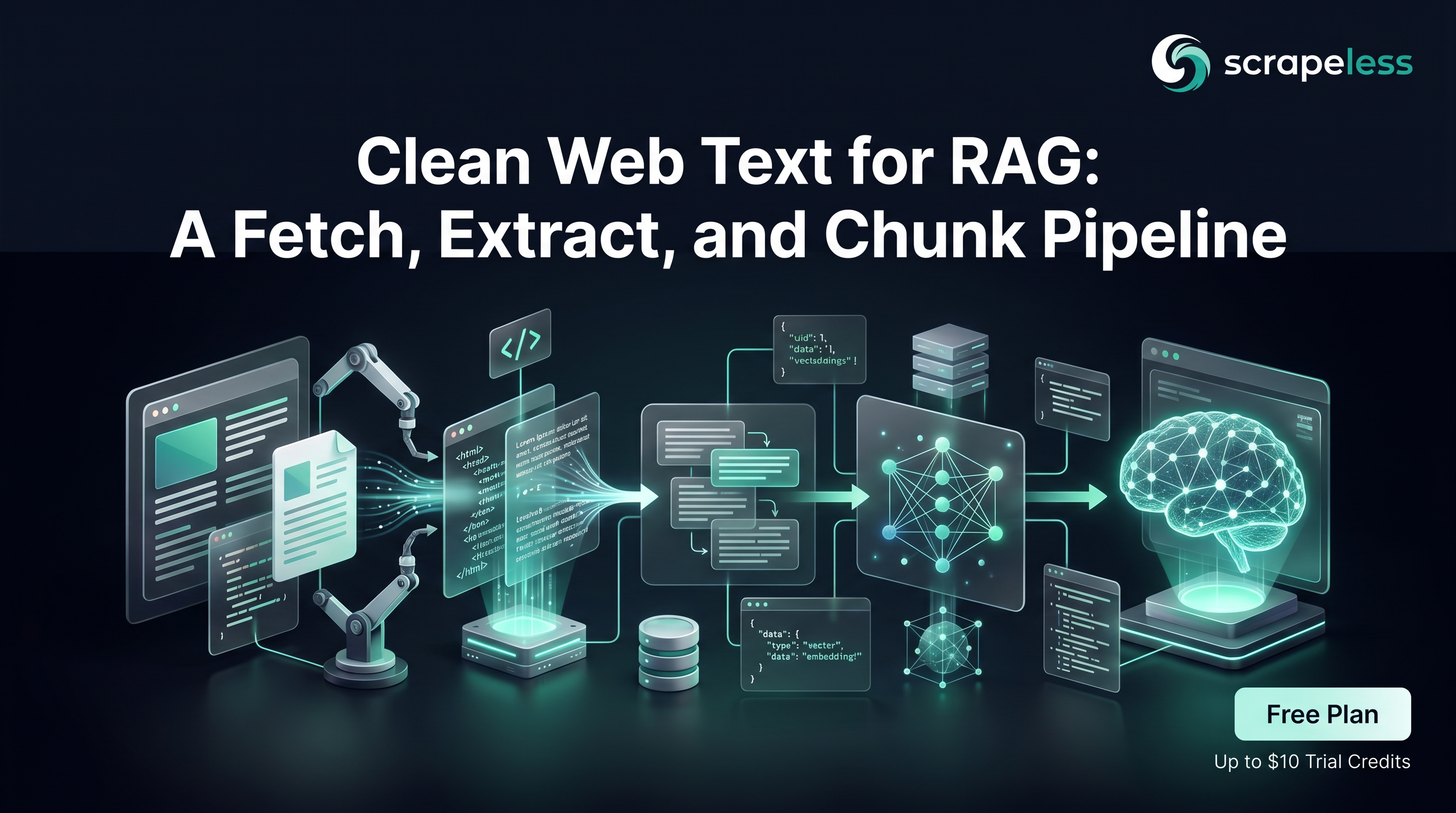
A RAG system retrieves chunks of text and feeds them to a model; everything downstream inherits whatever went into the index. This guide builds the ingestion side end to end:
- Fetch — pull fully rendered HTML for a URL list through the web unlocker, so JavaScript-built pages and bot-checked sites return real content.
- Extract — strip page chrome and keep the prose.
- Chunk — split into overlapping word windows with provenance, ready for any embedding model and vector store.
The output is corpus.jsonl: one chunk per line with its source URL and position — the neutral format every embedding workflow accepts. Stages 2 and 3 are pure transforms; only stage 1 touches the network.
Why the fetch stage breaks first
Three failure modes dominate web-text ingestion, and all three are invisible until retrieval quality drops:
- Client-side rendering. The HTML a plain GET returns is a loader shell; the article arrives later via JavaScript. Your extractor reads an empty
<div id="root">and indexes nothing. - Anti-bot interstitials. Challenge pages return HTTP 200 with "checking your browser" prose — which embeds beautifully and retrieves confidently.
- Soft-404s. Dead URLs that render a styled "not found" page, again with a 200 status.
The fix is fetching through infrastructure that renders and clears those layers server-side. The Universal Scraping API web unlocker does exactly that: one POST per URL, rendered HTML back.
Prerequisites
- A Scrapeless account and API key — sign up at app.scrapeless.com.
- Python 3.10+ with
requestsandbeautifulsoup4. - A URL list you have the right to ingest (see the sourcing note below).
bash
export SCRAPELESS_API_KEY=your_api_token_hereStage 1 — Fetch rendered pages
One POST per URL to the unlocker endpoint. The response is JSON with the rendered document in data:
python
import os
import pathlib

import requests

ENDPOINT = "https://api.scrapeless.com/api/v1/unlocker/request"
HEADERS = {
    "Content-Type": "application/json",
    "x-api-token": os.environ["SCRAPELESS_API_KEY"],
}

URLS = [
    "https://www.scrapeless.com/en/blog/best-llm-scrapers-2026",
    "https://www.scrapeless.com/en/blog/google-ai-overview-scraper-api-2026",
]

pathlib.Path("pages").mkdir(exist_ok=True)
for url in URLS:
    resp = requests.post(
        ENDPOINT,
        headers=HEADERS,
        json={
            "actor": "unlocker.webunlocker",
            "input": {"url": url, "type": "html", "redirect": True, "method": "GET"},
        },
        timeout=120,
    )
    resp.raise_for_status()
    html = resp.json()["data"]
    name = url.rstrip("/").rsplit("/", 1)[-1] + ".html"
    pathlib.Path("pages", name).write_text(html, encoding="utf-8")
    print(f"{url} -> pages/{name} ({len(html):,} bytes)")
A healthy fetch lands hundreds of kilobytes of rendered document per article page. A few kilobytes usually means a shell or an interstitial — worth checking before it reaches the index.
Get your API key on the free plan: app.scrapeless.com
Stages 2 and 3 — Extract the prose, chunk with provenance
Extraction is subtraction: remove the elements that are never prose, then read the text out of what remains. Chunking is a fixed word window with overlap, and every chunk keeps its source URL and position:
python
# build_corpus.py — pages/*.html -> corpus.jsonl (chunks with provenance)
import json
import pathlib

from bs4 import BeautifulSoup

CHUNK_WORDS = 220      # window size
OVERLAP_WORDS = 40     # carried into the next chunk

STRIP_TAGS = ["script", "style", "noscript", "nav", "header", "footer", "aside", "form", "svg"]


def extract_text(html: str) -> str:
    soup = BeautifulSoup(html, "html.parser")
    for tag in soup(STRIP_TAGS):
        tag.decompose()
    root = soup.find("article") or soup.find("main") or soup.body or soup
    text = root.get_text(" ", strip=True)
    return " ".join(text.split())


def chunk(words: list[str]):
    step = CHUNK_WORDS - OVERLAP_WORDS
    for start in range(0, max(len(words) - OVERLAP_WORDS, 1), step):
        yield start, " ".join(words[start:start + CHUNK_WORDS])


total = 0
with open("corpus.jsonl", "w", encoding="utf-8") as out:
    for page in sorted(pathlib.Path("pages").glob("*.html")):
        text = extract_text(page.read_text(encoding="utf-8"))
        words = text.split()
        for start, body in chunk(words):
            out.write(json.dumps({
                "source": page.stem,
                "word_offset": start,
                "n_words": len(body.split()),
                "text": body,
            }) + "\n")
            total += 1
        print(f"{page.name}: {len(words):,} words")

print(f"{total} chunks -> corpus.jsonl")
What comes out, one line per chunk:
json
// illustrative sample — schema from a live build_corpus.py run; text abridged
{
  "source": "best-llm-scrapers-2026",
  "word_offset": 180,
  "n_words": 220,
  "text": "…the actor returns the answer plus its citations as structured fields…"
}
From here, any embedding workflow takes over: read corpus.jsonl, embed text, store the vector with source and word_offset as metadata. The provenance fields are what let you trace a bad retrieval back to the page and position it came from.
Sourcing responsibly
A training or retrieval corpus inherits legal weight from its sources. Ingest only publicly accessible pages you have the right to use; check each site's terms of service and robots directives before adding it to the URL list; keep request volume modest per host; and treat copyrighted text as something you retrieve and attribute rather than republish. When a corpus includes third-party content, keeping the source field intact is the difference between a citation and a copy.
Conclusion: clean in, clean out
The ingestion pipeline reduces to three short files: fetch rendered HTML through the unlocker, subtract the chrome, chunk with overlap and provenance. None of it is glamorous, and all of it decides whether retrieval answers come from real article text or from a loader shell that slipped into the index. Point the URL list at the sources your assistant should know, schedule the run, and keep the raw pages — they are the audit trail.
Ready to Build Your RAG Ingestion Pipeline?
Join our community to claim a free plan and connect with developers building data pipelines: Discord · Telegram.
Sign up at app.scrapeless.com for free trial credits, and point the fetch stage at the pages your retrieval corpus needs. See pricing for current tiers.
FAQ
Q: Why not just use requests.get on the URLs?
For static pages it works. For JavaScript-rendered or bot-checked sites it returns shells and interstitials that poison the index silently — the unlocker exists for exactly those.
Q: How big should chunks be?
The 220/40 window here is a reasonable default for sentence-transformer-class embedding models. Tune to your model's context and your retrieval granularity; keep some overlap so ideas that straddle a boundary survive it.
Q: How do I detect a bad fetch before it reaches the index?
Size and content checks: rendered article pages run large (the worked example's pages land in the hundreds of kilobytes), and extracted text under a few hundred words from a page that should be an article is a red flag worth logging.
Q: Can this fetch pages behind heavy anti-bot vendors?
The unlocker's job is clearing anti-bot layers server-side. Where a specific page still can't be cleared, treat it as unfetchable and leave it out — a missing page is recoverable, a poisoned index is not.
Q: Do I need a proxy?
No. Egress and rendering are handled inside the actor; the POST you send is the whole integration.
Q: Where do embeddings and the vector store come in?
Downstream of corpus.jsonl, with whatever stack you already use. This pipeline deliberately stops at clean, provenance-tagged chunks — the format every embedding tool accepts.
At Scrapeless, we only access publicly available data while strictly complying with applicable laws, regulations, and website privacy policies. The content in this blog is for demonstration purposes only and does not involve any illegal or infringing activities. We make no guarantees and disclaim all liability for the use of information from this blog or third-party links. Before engaging in any scraping activities, consult your legal advisor and review the target website's terms of service or obtain the necessary permissions.