Scrapeless n8n Integration v0.5.4: AI Scraper Workflows

Scraping and Proxy Management Expert
TL;DR:
- Scrapeless Official for n8n v0.5.4 adds one AI Scraper resource with seven actions. Workflows can now collect answers from ChatGPT, Copilot, Gemini, Google AI Mode, Google AI Overview, Grok, and Perplexity.
- Each action is ready for automation. A workflow can map prompts from an earlier node, run an AI Scraper action, normalize the returned JSON, and route the result to a database, spreadsheet, dashboard, or alert.
- Engine-specific controls remain visible in the node. ChatGPT and Perplexity support Web Search; Copilot and Grok expose mode selection; Google AI Mode and Google AI Overview add shopping and geo-targeting controls.
- The integration supports repeatable AI visibility workflows. Teams can schedule prompt panels, compare regional answers, monitor citations and product appearances, and keep a reviewable history.
- Free to start. Create a Scrapeless account and connect an API key at app.scrapeless.com.
Introduction: AI Answers Can Now Move Through the Rest of Your Stack
AI answer engines have become research, discovery, and recommendation surfaces. The useful part for an operations team is rarely one answer copied from one browser tab. The useful part is a repeatable workflow that sends the same prompt to the right engines, keeps the context attached, stores the response, and flags the changes that matter.
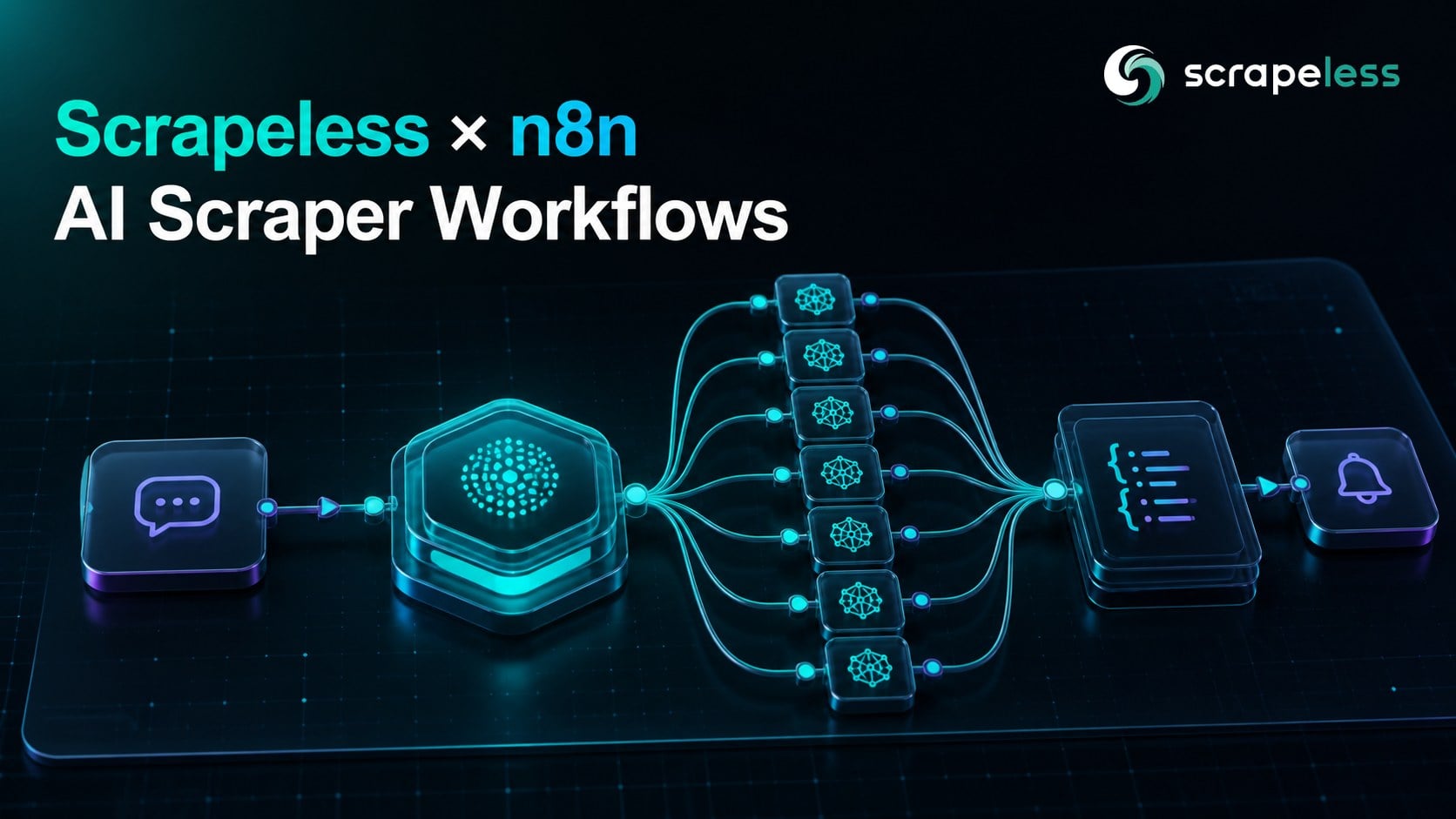
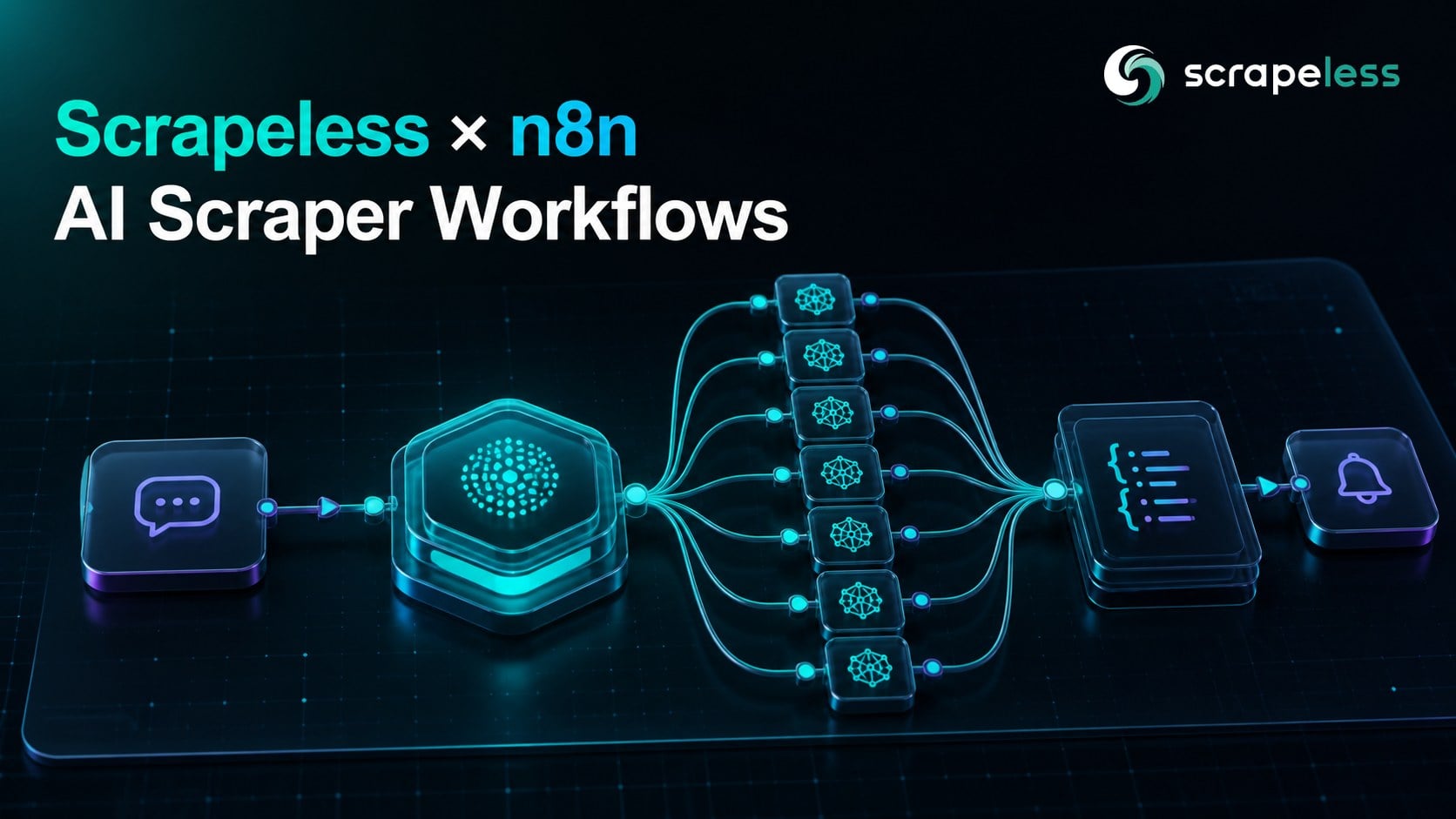
Scrapeless Official for n8n v0.5.4 puts that workflow on the n8n canvas. The verified Scrapeless Official integration now lists AI Scraper alongside Deep SerpApi, Universal Scraping API, and Crawler. Its AI Scraper resource exposes seven actions: ChatGPT, Copilot, Gemini, Google AI Mode, Google AI Overview, Grok, and Perplexity.
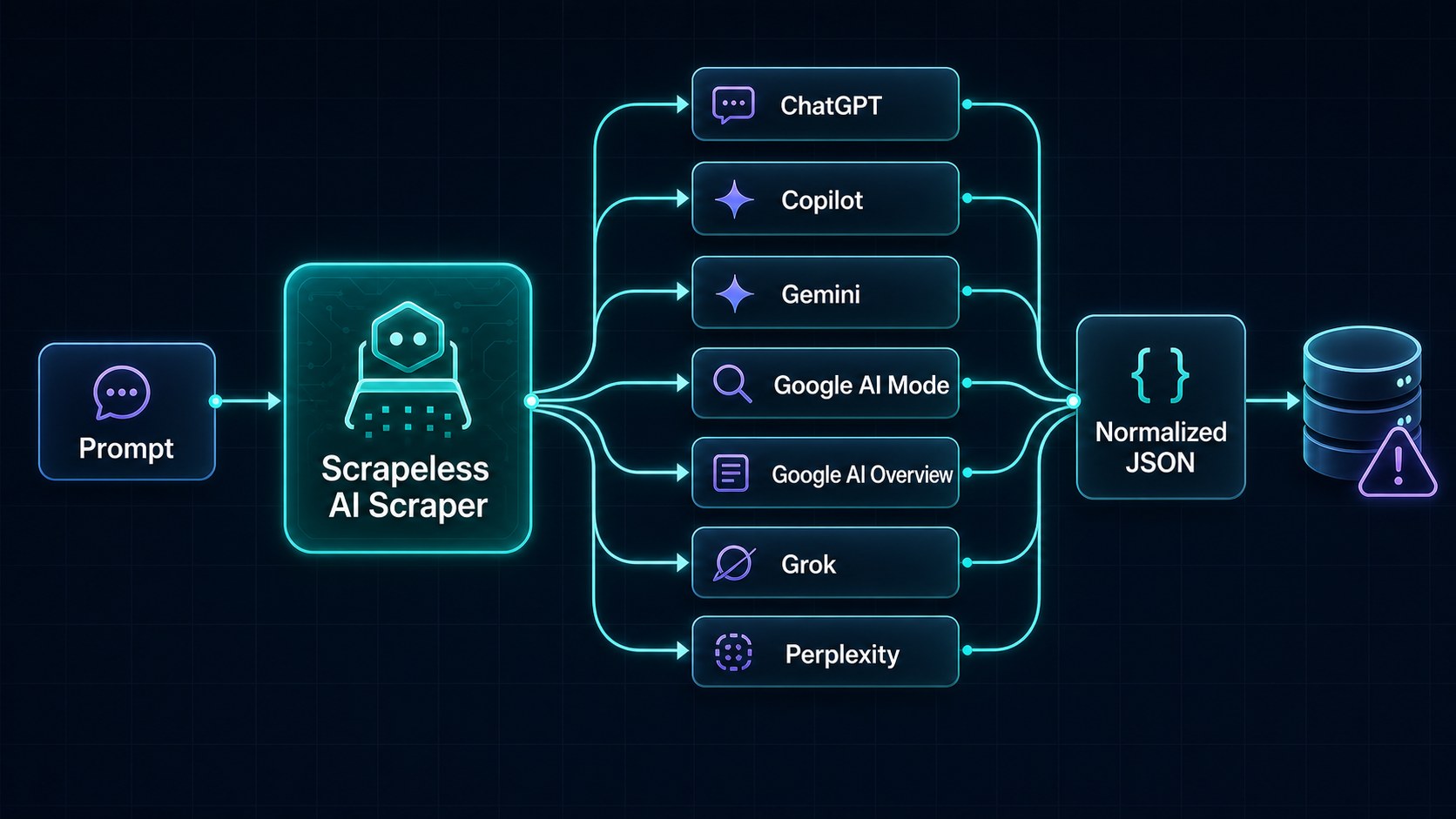
That changes the shape of a Scrapeless × n8n build. Instead of treating AI answer collection as an isolated script, a team can connect it to schedules, forms, databases, comparison logic, human review, and notifications. Existing Scrapeless workflows already show how n8n can orchestrate search, crawling, storage, and content operations; v0.5.4 adds first-class AI answer actions to the same visual environment.
What Changed in v0.5.4
Scrapeless Official v0.5.4 is the current npm release, and the package now defines the following AI Scraper actions:
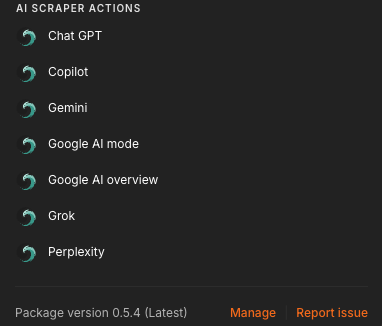
| AI Scraper action | Required inputs | Action-specific controls |
|---|---|---|
| ChatGPT | Prompt, Country | Web Search; Shopping |
| Copilot | Prompt, Country | Chat, Reasoning, Search, Smart, or Study mode |
| Gemini | Prompt, Country | — |
| Google AI Mode | Prompt, Country | Shopping; Location or UULE |
| Google AI Overview | Prompt, Country | Shopping; Location or UULE |
| Grok | Prompt, Country | Auto, Expert, or Fast mode |
| Perplexity | Prompt, Country | Web Search |
The published n8n-nodes-scrapeless package is maintained by Scrapeless. The node passes each action through the Scrapeless AI Scraper task flow and returns the resulting task data as JSON to the next n8n node.
The common Prompt and Country fields make it easy to reuse one input record across several engines. The action-specific fields let the workflow preserve the distinctions that affect the answer. For example, a brand-monitoring run can enable Web Search for ChatGPT and Perplexity, select Search mode for Copilot, and use a canonical location or pre-encoded UULE value for a Google AI workflow.
Google AI Mode and Google AI Overview accept either Location or UULE for precise geo-targeting; the two fields are mutually exclusive. ChatGPT, Google AI Mode, and Google AI Overview also expose a Shopping switch. The node warns that shopping-enabled responses include product information and are charged at twice the base rate, so make that setting an explicit workflow decision.
The Scrapeless × n8n Workflow Pattern
A durable AI answer workflow separates the business input from the engine-specific call. The basic pattern has five stages:
- Trigger the run. Start from a Schedule Trigger, Webhook, form submission, or a manual run during setup.
- Build the prompt record. Use Edit Fields to define the prompt, country, brand or topic, run label, and any comparison metadata.
- Call the required AI Scraper actions. Add one Scrapeless Official node for each engine included in the study. Select Resource → AI Scraper, then choose the action and map the shared inputs.
- Normalize the response. Add an Edit Fields or Code node after each branch to produce a common envelope such as engine, prompt, country, answer, citations, products, and collected-at time. Keep fields nullable because result shapes differ by engine and by prompt.
- Route the result. Merge or aggregate the branches, then write the records to Google Sheets, Postgres, Airtable, Notion, a data warehouse, or a review queue. Add alerts only after the workflow has a clear rule for what counts as a material change.
n8n defines data mapping as referencing data from earlier nodes. Its data-mapping interface lets a builder drag values from the input panel or create expressions, which is useful when the same prompt record feeds multiple Scrapeless actions.
This separation also makes the workflow easier to maintain. Prompt governance lives in one place. Engine settings live on their respective branches. Storage and reporting stay downstream from the collection step.
Get your Scrapeless API key on the free plan: app.scrapeless.com
Example Workflow: A Multi-Engine AI Visibility Monitor
Consider a weekly workflow that tracks how AI engines answer a commercial research prompt across one target market.
Prompt record
| Field | Example value |
|---|---|
| prompt | What are the best web data tools for AI research teams? |
| country | US |
| brand | Scrapeless |
| study | ai-research-tools |
| run_type | weekly-monitor |
Canvas layout
Schedule Trigger → Edit Fields → seven Scrapeless Official branches → normalize each branch → aggregate → store → notify
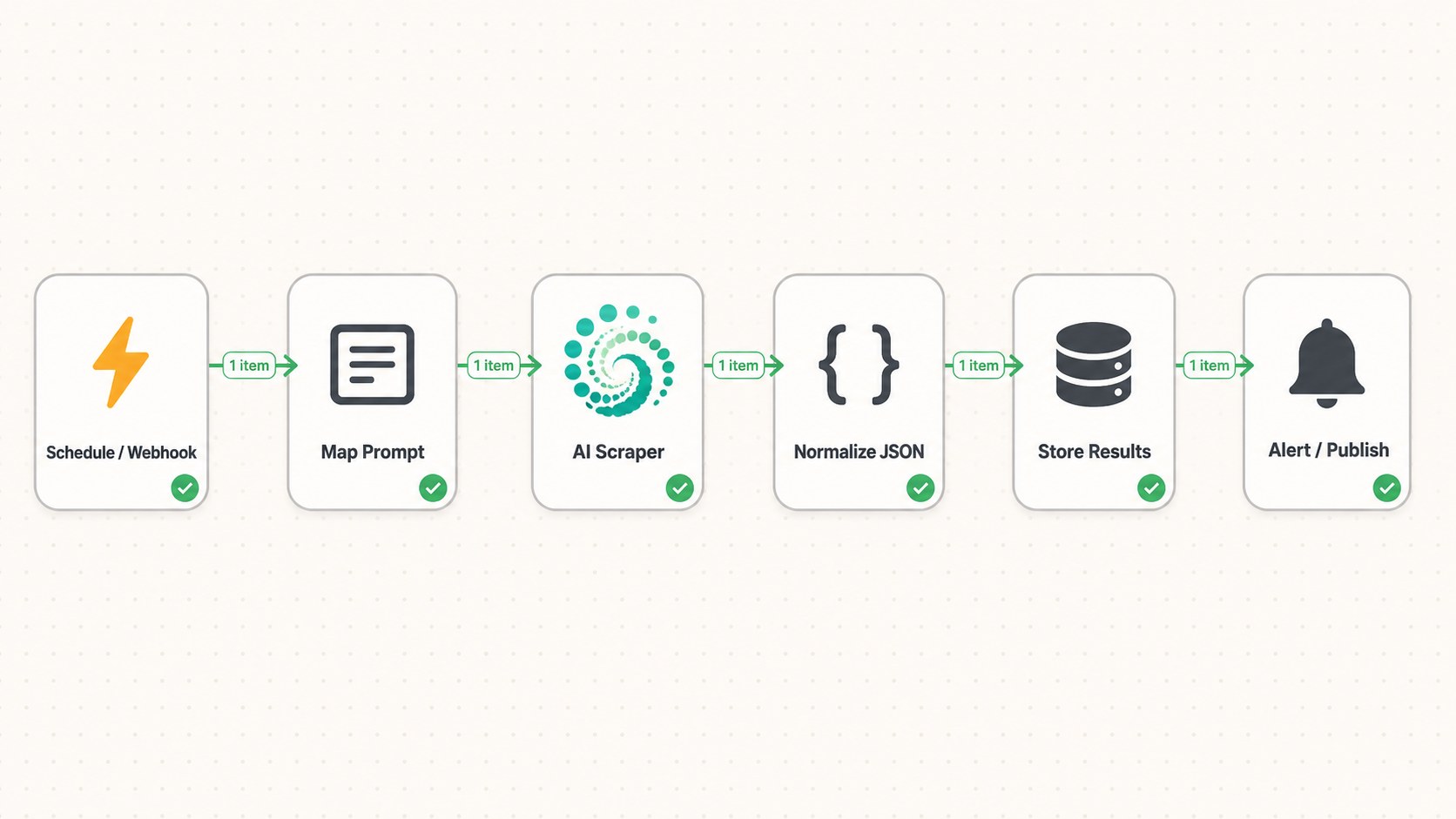
In each Scrapeless Official node, map Prompt from the prompt field and Country from the country field. Keep each engine's special controls visible instead of hiding them inside a shared object:
- ChatGPT: enable Web Search when the study is intended to capture web-grounded answers; decide separately whether product data belongs in the run.
- Copilot: use Search for a discovery study, or choose another mode when the research question calls for a different response behavior.
- Gemini: map the shared Prompt and Country fields.
- Google AI Mode and Google AI Overview: use the same country baseline, then add either Location or UULE when the study needs city- or region-specific results.
- Grok: choose Auto, Expert, or Fast according to the workflow's research design.
- Perplexity: enable Web Search when current web context is part of the study.
After each branch, normalize only the fields the downstream report needs. Do not assume that every engine returns identical citations, product cards, or answer structure. A practical common envelope looks like this:
| Normalized field | Purpose |
|---|---|
| engine | Identifies the AI surface |
| prompt | Preserves the exact question |
| country | Keeps market context attached |
| answer | Stores the main returned response |
| citations | Holds source links when present |
| products | Holds shopping results when present |
| raw_result | Preserves the complete JSON for later inspection |
| study | Groups related runs in reporting |
The output can support a simple review table: one row per engine and prompt, with columns for brand mention, citation presence, product appearance, and reviewer notes. The workflow should preserve raw output beside normalized fields so a schema change or a new result type does not erase useful evidence.
Configuration: From Installation to the First Result
Scrapeless Official is a verified partner node. The n8n integration page states that an instance owner completes the initial setup; after that, users on the instance can add the node to their workflows. The current package is also available through the official Scrapeless GitHub repository for teams that review package source before deployment.
Step 1: Install Scrapeless Official
Sign in to n8n, open the Nodes panel, search for Scrapeless Official, and follow n8n's verified-node installation flow. Confirm that the installed package version is 0.5.4 before building the workflow.
Step 2: Create the Scrapeless Credential
Create a Scrapeless account, copy the API key from the dashboard, then create a Scrapeless API credential in n8n. The credential form contains one password-protected API Key field.
Keep credentials separate from exported workflow JSON, screenshots, and shared documentation. n8n's workflow model allows credential access to be controlled independently from the visible workflow design.
Step 3: Add and Configure an AI Scraper Action
Add Scrapeless Official to the canvas and select:
- Resource: AI Scraper
- Operation: one of the seven supported engines
- Prompt: a fixed test prompt or an expression from the previous node
- Country: the market used for the run
- Action-specific settings: Web Search, Shopping, Mode, Location, or UULE where available
Run the node once with a small, unambiguous prompt. Inspect the JSON output before mapping fields downstream. The task result is returned as the node's JSON item, so the next node can read it directly.
Step 4: Add Normalization and a Destination
Map the fields required by the destination rather than forwarding an assumed universal schema. n8n preserves item relationships so later expressions can reference the input that produced a given output; the Scrapeless node also pairs each result with its incoming item.
Start with a reviewable destination such as Google Sheets, a database table, or n8n Data Tables. Once the normalized schema is stable, add dashboards, alerts, or downstream content operations.
Step 5: Activate the Workflow
Replace the Manual Trigger with the production trigger, set the instance timezone, and activate the workflow. For scheduled research, keep prompt version, market, engine settings, and run label in the stored record. Those fields make later comparisons explainable.
Typical Use Cases
Brand Visibility and Citation Tracking
Run a controlled panel of branded and non-branded prompts across several engines. Store the answer, citations, and brand-mention fields, then compare changes over time. This makes the workflow useful for GEO and AEO programs without turning every observation into a manual browser check.
Regional Answer Comparison
Country is available across all seven actions, while Google AI Mode and Google AI Overview add Location and UULE. A workflow can compare markets while preserving the exact geo settings used for each result.
Product Discovery Monitoring
ChatGPT, Google AI Mode, and Google AI Overview expose Shopping controls. Product teams can collect shopping-aware answers, normalize product fields when present, and route meaningful changes to a review queue.
Research Digests
Send a defined research prompt to the selected engines, collect the responses, extract common themes, and publish a structured digest to Slack, Notion, or email. Keep the source results attached so the digest remains auditable.
Content and Market Briefs
Combine AI answer data with Scrapeless Universal Scraping API workflows when a team needs both answer-engine output and public webpage context. Keep the two collection paths distinct, then join them in a downstream brief.
Design Notes for Production Workflows
The best production workflow is explicit about its research design. Store the prompt exactly as sent, record the engine and mode, and keep the market context with the result. A changed prompt is a different measurement, even when the topic is similar.
Treat engine output as a varying JSON surface. Normalize the fields used by the report, but preserve the raw result. Shopping cards, citations, related questions, and answer structure may not appear on every action or every run.
Use one Scrapeless node per engine branch when visibility matters more than compactness. The canvas then shows which settings belong to which engine, and reviewers can inspect or disable one branch without changing the rest of the study.
Finally, separate collection from interpretation. The AI Scraper actions collect the answer-engine results. A later rule, analyst review, or model can classify mentions and changes. That boundary keeps the evidence available when the interpretation logic changes.
Conclusion: Build the Answer Pipeline Once
Scrapeless Official v0.5.4 gives n8n builders a direct path from a prompt record to seven AI answer surfaces. The workflow stays visual: trigger the study, map shared inputs, choose engine-specific controls, normalize the returned JSON, and route the result to the systems that already run the team's research and reporting.
The first useful build does not need to be large. Start with one prompt, two engines, one country, and one review table. Once the schema and review rule are clear, add the remaining actions and schedule the study.
Check Scrapeless pricing before enabling shopping data or expanding a recurring prompt panel.
Ready to Build Your AI Answer Workflow?
Join the Scrapeless community to compare workflow patterns and share feedback: Discord · Telegram.
Create an account at app.scrapeless.com, connect the Scrapeless Official node in n8n, and turn the first prompt panel into a reviewable workflow.
FAQ
Q: What is new in Scrapeless Official for n8n v0.5.4?
Version 0.5.4 adds the AI Scraper resource with actions for ChatGPT, Copilot, Gemini, Google AI Mode, Google AI Overview, Grok, and Perplexity.
Q: Is Scrapeless Official a verified n8n integration?
Yes. n8n lists Scrapeless Official as a verified integration built and maintained by Scrapeless.
Q: Which fields are shared by all seven AI Scraper actions?
All seven actions require a Prompt and Country. Additional fields depend on the selected engine.
Q: Can one n8n workflow compare several AI engines?
Yes. Connect the same input record to one Scrapeless Official node per engine, normalize each result into a common envelope, then aggregate the branches for storage or reporting.
Q: How does geo-targeting work?
Every action includes Country. Google AI Mode and Google AI Overview also support either a canonical Location value or a pre-encoded UULE value for more precise geo-targeting.
Q: Which actions support web search or shopping data?
ChatGPT and Perplexity include a Web Search switch. ChatGPT, Google AI Mode, and Google AI Overview include a Shopping switch.
Q: What does the Scrapeless node return to the next n8n step?
The node returns the completed AI Scraper task result as JSON. The exact result shape can vary by engine and prompt, so downstream mapping should allow nullable fields and preserve the raw result.
Q: Can Scrapeless Official be used as an n8n AI tool?
Yes. The v0.5.4 node is marked as usable as a tool, so it can participate in compatible n8n AI-agent workflow patterns as well as standard linear workflows.
Q: What is the safest way to start?
Begin with a manual trigger, one prompt, one country, and one or two engines. Inspect the returned JSON, define the normalized fields, then add scheduling, storage, and more engine branches.
At Scrapeless, we only access publicly available data while strictly complying with applicable laws, regulations, and website privacy policies. The content in this blog is for demonstration purposes only and does not involve any illegal or infringing activities. We make no guarantees and disclaim all liability for the use of information from this blog or third-party links. Before engaging in any scraping activities, consult your legal advisor and review the target website's terms of service or obtain the necessary permissions.