How to Turn Google Maps Into a Lead Pipeline: Extract 1000s of Qualified Prospects in Hours

Web Data Collection Specialist
TL;DR:
- Google Maps is the richest open directory of local businesses — and one of the harder ones to read at scale. Each listing carries a name, address, phone, website, rating, and review count, but the surface is JavaScript-rendered and gated by behavioral and rate-based controls that stop plain HTTP clients cold.
- A four-stage workflow turns a category search into qualified leads. Discover businesses by category and city, extract the structured fields from each listing, enrich from the business's own site, then qualify against your criteria — all on one primitive set.
- Grounded in verified Scrapeless tools. The Scrapeless Scraping Browser renders Maps and business websites through an anti-detection cloud browser,
google_searchsurfaces discovery URLs, and residential US egress keeps each session local to the market you target. - No per-site actor to configure. The same
browser_*primitives (or one SDK session) drive Maps discovery and the enrichment crawl across each business's own domain — you change the target by changing the prompt, not by hunting for a template. - Contact data is sensitive — treat it that way. Business phone numbers, emails, and the people behind them carry compliance obligations; this workflow reads only publicly visible data and flags where extra care applies.
- Free to start. New Scrapeless accounts include free Scraping Browser runtime — sign up at app.scrapeless.com.
Introduction: from a map pin to a qualified lead
Local business data drives a large share of outbound sales, agency prospecting, and market research. A region's restaurants, dentists, contractors, and gyms all keep a public profile on Google Maps, and that profile is unusually complete: a verified name, a street address, a phone number, a link to the business's own site, an aggregate rating, and a running review count. For a team building a lead list, that is most of a qualification record in one place.
The friction is in reaching it reliably. Google Maps renders its results with JavaScript and loads listings progressively as the panel scrolls, so a plain request returns an empty shell rather than a list of places. Maps also evaluates traffic aggressively — pacing, fingerprint, and IP reputation all factor in — and unfamiliar automated traffic is rate-limited or challenged. Stitching together a headless browser, a proxy pool, and session logic to clear that turns a one-afternoon idea into an infrastructure project.
This post walks through a practical lead-generation workflow built on top of the Scrapeless Scraping Browser. It covers four stages — discover local businesses, extract the listing fields, enrich each record from the business's own website, and qualify the result — and grounds each stage in tools that work today: google_search for discovery, the anti-detection cloud browser for rendering Maps and business sites, and residential proxies for clean local egress. For a broader catalog of agent-driven workflows that reuse the same primitives, see the Scrapeless AI agent use cases.
What You Can Do With It
- Build category lead lists by city. Pull every "HVAC contractor in Phoenix, AZ" or "pilates studio in Lisbon" into a structured list with name, address, phone, website, rating, and review count.
- Find businesses missing a web presence. Filter for listings where
websiteis absent — a classic signal for agencies selling site builds, SEO, or booking software. - Score leads by reputation. Use rating and review count as a first-pass qualification filter to separate established businesses from new or low-signal listings.
- Enrich beyond the map pin. Visit each business's own public site to pick up a contact email, a services page, or hours that Maps does not surface.
- Scope to any local market. Set residential egress to the country you care about so results reflect what a local searcher actually sees.
- Hand structured records to a CRM. Each business becomes one JSON record, ready to deduplicate on phone or domain and write straight into a pipeline.
Why Scrapeless Scraping Browser
Scrapeless Scraping Browser is a customizable, anti-detection cloud browser designed for web crawlers and AI agents. For Google Maps lead generation specifically, it brings:
- A cloud browser that renders like a real one. JavaScript, lazy loading, and the progressive scroll that Maps uses to reveal listings are handled server-side, so a session receives the full results panel instead of an empty container.
- Residential proxies in 195+ countries. Set the egress region per session — pin US residential to reach a US market — so the listings, ratings, and ordering match what a local searcher sees rather than a datacenter-flagged variant.
- Anti-detection fingerprinting and session persistence. Maps evaluates behavioral and IP signals; a consistent, real-browser fingerprint kept inside one session reaches the rendered results that anonymous automated traffic does not.
- A single primitive set for two different page types. The same
browser_*calls (or one SDK session) render the Maps results panel and the heterogeneous business websites you enrich from — no second toolchain for the second hop. - A discovery tool that needs no browser.
google_searchreturns structured organic results —position,title,link,snippet,source— so you can seed the workflow with Maps and business URLs before opening a session.
Get your API key on the free plan at app.scrapeless.com.
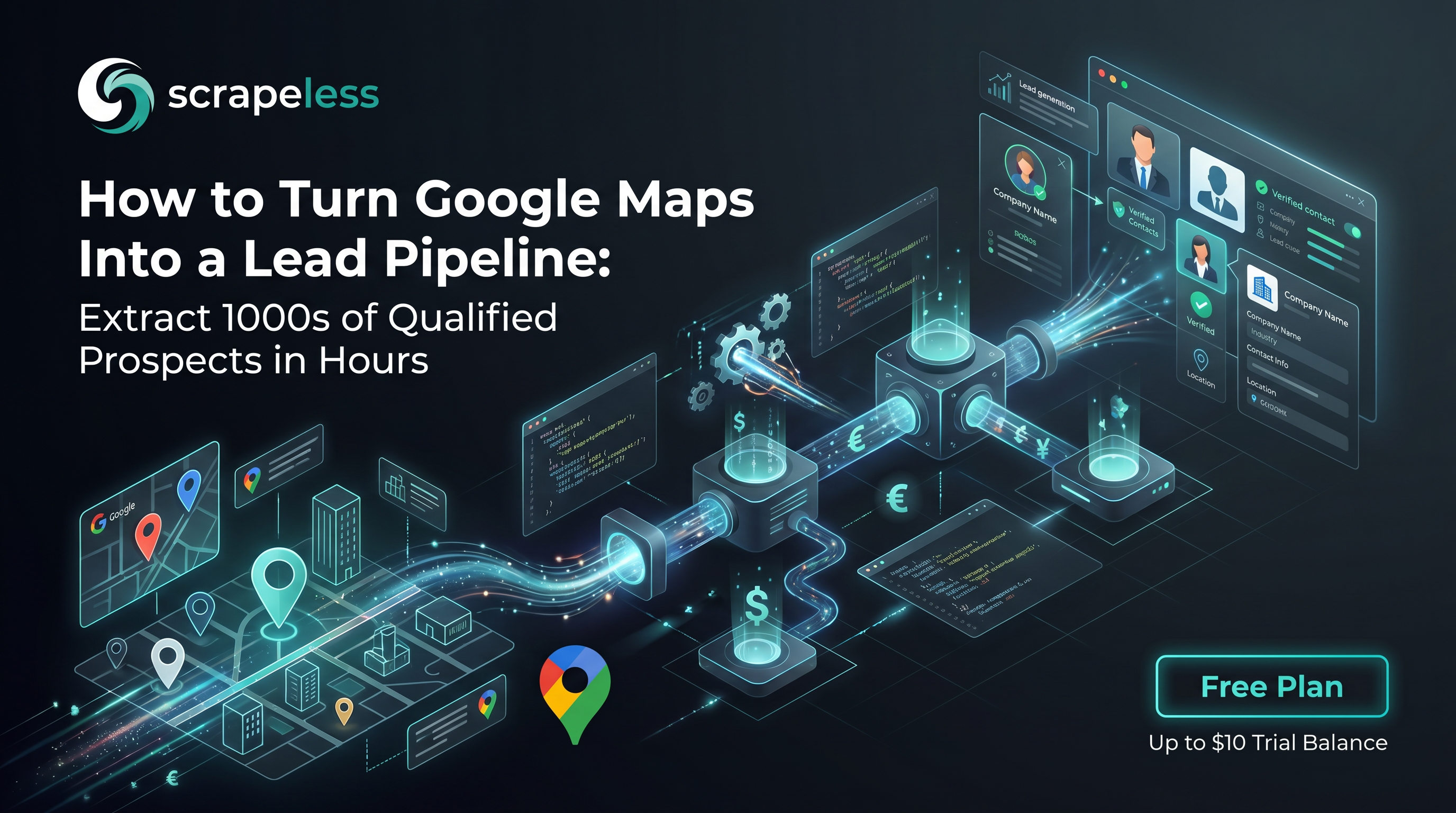
The Workflow: Discover → Extract → Enrich → Qualify
The whole pipeline reduces to four stages on one toolset. Stages 1–3 collect data; stage 4 is your own scoring logic over the result. The connecting idea is the same one every Scrapeless workflow uses: discover, then extract — find the pages first, render them, then pull the structured fields out.
Stage 1 — Discover local businesses
Discovery answers a single question: which listings belong to "[category] in [city]"? There are two complementary entry points, and a robust run uses both.
The first is google_search. A query such as coffee shops in Austin, TX returns structured organic rows — each with a title, a link, and a snippet — which surface both Maps place URLs and the businesses' own domains without opening a browser at all. It is the cheapest way to seed a candidate set and to capture the business website URL you will need in the enrichment stage.
The second is the Maps results panel itself. Opening a cloud-browser session on a Maps search URL and scrolling the results pane progressively loads listing cards; the rendered HTML then carries the per-listing anchors you extract in stage 2. Maps reveals results in batches as the panel scrolls, so the session scrolls until the list stops growing before capturing the HTML. Because the cloud browser renders JavaScript and routes through residential egress, the panel hydrates the same way it would for a local user.
A typical agent prompt for this stage reads:
Use the Scrapeless Scraping Browser to search Google Maps for "coffee shops" in Austin, TX. Open a US-region session, scroll the results panel until no new listings appear, then capture the rendered HTML for extraction. Also run a
google_searchfor "coffee shops in Austin, TX" and keep the organic result links as enrichment seeds.
Stage 2 — Extract the listing fields
With the rendered results HTML in hand, the extraction step pulls the structured record for each business. The fields a Maps listing exposes are consistent: business name, category, street address, phone number, website link, aggregate rating, and review count. Each result card, and each detail panel a session clicks into, carries these as stable, semantically labeled nodes — anchor extraction on the semantic structure (aria-label, role, and data-* attributes) rather than brittle generated class names, which Maps rotates.
Two fields deserve a note. phone and website are frequently absent on the listing surface — a business that has not added them simply has no node to read. Treat an absent value as "not listed" rather than "confirmed none," and let stage 3 try to recover the missing website and contact details from the business's own site. The review_count and rating pair is the most reliable signal present on nearly every established listing, which is why qualification in stage 4 leans on it.
A prompt for this stage:
From the captured Maps HTML, extract one record per business with
name,category,address,phone,website,rating,review_count, and the listingurl. Wherephoneorwebsiteis not present, set it to null rather than dropping the record. Return a JSON array.
Stage 3 — Enrich from the business website
A Maps record is a strong start, but the highest-value fields for outreach — a contact email, a services list, opening hours, a booking link — usually live on the business's own site, not the map pin. The enrichment stage takes the website from stage 2 (or a domain recovered from the google_search seeds) and opens it in the same cloud browser.
This is where running both discovery sources pays off: a listing with a null website on Maps can often be matched to its domain through the organic google_search results for the same business name and city. Once a session lands on the business homepage, it renders the page and reads only the publicly posted contact surface — a "Contact" or "About" page, a footer email, a public booking URL. Because these are arbitrary small-business sites built on every framework imaginable, the cloud browser's real rendering is what makes the second hop work without a per-site adapter: the same session that read Maps reads the business site.
Use the Scrapeless Scraping Browser to open each business
website, render the homepage and any linked contact page, and extract a public contact email and booking link where one is posted. Skip any site that returns no public contact surface. Append the fields to the existing record.
Get your API key on the free plan: app.scrapeless.com
Stage 4 — Qualify the leads
Qualification is your own logic over the enriched records — no scraping, just scoring. Common filters for a lead list:
- Web-presence gap. Keep records where
websiteis still null after enrichment — businesses that may need a site, booking flow, or SEO help. - Reputation band. Keep records whose
ratingandreview_countfall in a target range — for example, established businesses with many reviews, or newer ones with few, depending on the offer. - Reachability. Keep records that carry a
phoneor an enrichedemail, since an unreachable lead is not actionable. - Deduplication. Collapse duplicates on phone number or domain so the same business does not appear twice from the two discovery sources.
The output of stage 4 is a filtered, deduplicated list of business records ready to write into a CRM or outreach sheet.
What You Get Back
Each business resolves to one structured record. The schema below is normative; the field values are illustrative samples, not output from any single run.
json
// Schema is normative; field values are illustrative samples.
[
  {
    "name": "Terrible Love Coffee",
    "category": "Coffee shop",
    "address": "3908 Avenue B, Austin, TX 78751",
    "phone": "+1 512-555-0142",
    "website": "https://terriblelovecoffee.example",
    "rating": 4.9,
    "review_count": 612,
    "listing_url": "https://www.google.com/maps/place/Terrible+Love+Coffee/...",
    "enrichment": {
      "email": "hello@terriblelovecoffee.example",
      "booking_url": "https://terriblelovecoffee.example/order",
      "source": "business_website"
    },
    "qualification": { "has_website": true, "reputation_band": "established", "reachable": true }
  },
  {
    "name": "Flora Coffee & Culture",
    "category": "Coffee shop",
    "address": "3300 W Anderson Ln, Suite 300, Austin, TX 78757",
    "phone": null,
    "website": null,
    "rating": 4.8,
    "review_count": 87,
    "listing_url": "https://www.google.com/maps/place/Flora+Coffee+%26+Culture/...",
    "enrichment": { "email": null, "booking_url": null, "source": null },
    "qualification": { "has_website": false, "reputation_band": "growing", "reachable": false }
  }
]
A few honest observations on the shape of this data:
phoneandwebsiteare conditional fields. Maps surfaces them only when the business has added them. A null here is the signal stage 4 reads for the web-presence gap, not a parsing error.- Enrichment is best-effort. Many small-business sites post no machine-readable contact email; when the public contact surface is empty, the enrichment fields stay null and the Maps record still stands on its own.
- Ordering and counts vary by egress. The set and order of listings Maps returns depend on the search region, so pin residential egress to the market you are qualifying.
- Selectors shift. Maps rotates its generated class names; anchoring on semantic structure keeps extraction stable across layout refreshes, and repeating the discover step reveals the current anchors when a refresh lands.
Handling Contact Data Responsibly
Lead generation touches contact information, and contact information is sensitive by default. A business phone number or a personal email tied to a sole proprietor can be personal data under regimes such as the GDPR and the CCPA, and the rules differ by jurisdiction and by how you intend to use the records.
A few principles keep this workflow on solid ground:
- Public-only. This pipeline reads only what a business has chosen to publish — its Maps listing and its own website. It does not touch authenticated, private, or restricted sources.
- Purpose and minimization. Collect the fields the use case actually needs, and keep them no longer than the purpose requires. A web-presence-gap campaign does not need to store personal emails it will never contact.
- Respect site terms and signals. Review each target's Terms of Service and robots directives, and pace requests so a session behaves like a real visitor.
- Honor opt-outs and outreach law. Outbound contact is regulated separately from collection — anti-spam and do-not-contact rules apply at the moment you reach out, not just when you build the list. Consult counsel before running a commercial program.
Conclusion: a repeatable local-lead pipeline
Google Maps lead generation reduces to four moves on one primitive set: discover with google_search and a rendered Maps session, extract the listing fields, enrich from each business's own site, and qualify against your own criteria. The Scrapeless Scraping Browser supplies the rendering, the residential egress, and the session handling that make both the Maps hop and the business-site hop work without a second toolchain — so the workflow stays the same whether you are pulling coffee shops in Austin or contractors in Manchester.
Pin residential egress close to the market, run both discovery sources so a null website on Maps can still be recovered, anchor extraction on semantic structure rather than rotating class names, and treat every absent field as nullable. For five more workflows that reuse exactly these tools, see the 5 Scrapeless MCP use cases; to compare what each plan includes, see the pricing page.
Ready to Build Your AI-Powered Data Pipeline?
Join our community to claim a free plan and connect with developers building local lead-generation pipelines: Discord · Telegram.
Sign up at app.scrapeless.com for free Scraping Browser runtime and adapt the workflow above to the categories, cities, and regions your lead list needs.
Runnable code on GitHub
The complete project behind this guide is open source in google-maps-scraper — local lead generation and local SEO tracking from the Google local pack.
It ships setup instructions, a .env.example, working example code, expected output, and a documented project structure, so you can clone it and run it rather than reassembling the snippets above.
FAQ
Q: Is it legal to scrape Google Maps for lead generation?
This workflow targets publicly visible business data, but rules vary by jurisdiction and by Google's Terms of Service. Business contact data can also be personal data under regimes such as the GDPR and CCPA. Review the target's ToS, respect robots directives and rate limits, collect only the fields your purpose requires, honor opt-outs at the outreach stage, and consult counsel for any commercial program.
Q: Do I need a proxy, and can I choose the region?
Yes — residential proxies in 195+ countries are built into the cloud browser. Set the egress country at session creation to match the market you are qualifying. Pinning residential US egress, for example, returns the listings, ratings, and ordering a US searcher would see, rather than a datacenter-flagged variant.
Q: Why does Google Maps block automated traffic?
Maps evaluates IP reputation, request pacing, and behavioral and fingerprint signals, and it gates unfamiliar automated traffic with rate limits and challenges. A real, anti-detection cloud browser routed through residential egress and kept inside one consistent session reaches the rendered results panel that anonymous clients do not.
Q: Why are phone and website sometimes null?
Maps surfaces those fields only when the business has added them. An absent value means "not listed," not "confirmed none." The enrichment stage tries to recover a missing website and contact details from the business's own site or from google_search seeds; what stays null after that is itself a useful qualification signal.
Q: How do I keep extraction stable when Maps changes its layout?
Anchor on semantic structure — aria-label, roles, and data-* attributes — rather than generated class names, which Maps rotates. When a layout refresh lands, repeat the discover step to capture the current rendered HTML and confirm the anchors before extracting.
Q: How should I scope concurrency for larger runs?
Keep parallelism modest — roughly three sessions per host — and pin the egress region to the market. Discovery via google_search is browser-free and can seed many cities before any session opens, which keeps the rendered Maps work focused on the candidates that matter.
Q: Can this run without an AI agent?
Yes. The same discover → extract → enrich → qualify pattern runs as a plain script driving an SDK browser session, with google_search for discovery. An MCP-capable agent is the lowest-friction path because it composes the same primitives from natural-language prompts, but the workflow does not depend on one.
At Scrapeless, we only access publicly available data while strictly complying with applicable laws, regulations, and website privacy policies. The content in this blog is for demonstration purposes only and does not involve any illegal or infringing activities. We make no guarantees and disclaim all liability for the use of information from this blog or third-party links. Before engaging in any scraping activities, consult your legal advisor and review the target website's terms of service or obtain the necessary permissions.