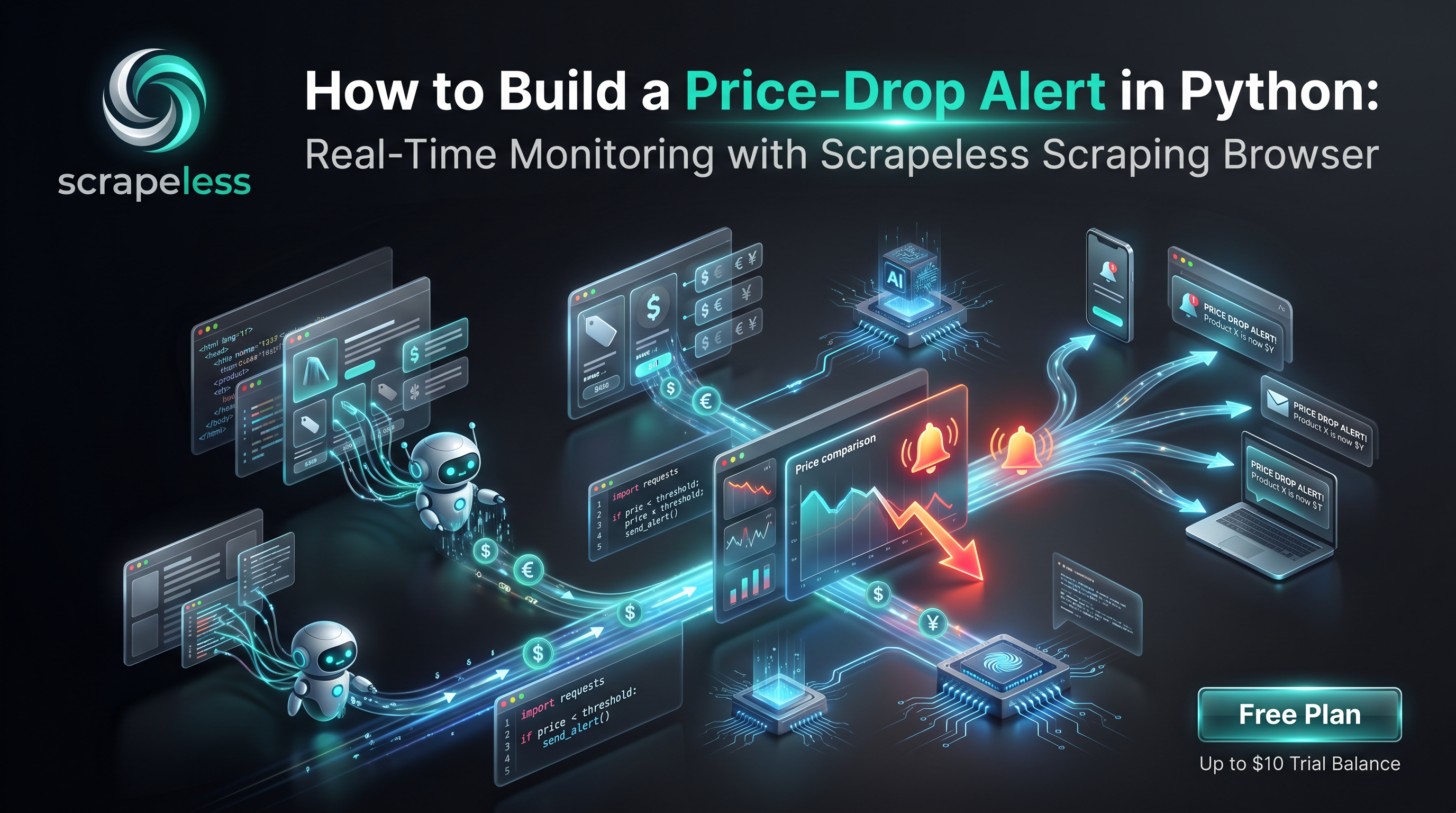
How to Build a Price-Drop Alert in Python: Real-Time Monitoring with Scrapeless Scraping Browser

Advanced Bot Mitigation Engineer
TL;DR:
- Render first, then read the price. Modern retail prices are painted client-side after JavaScript runs and personalized by region. A real rendered page — not a raw HTTP fetch — is what returns the number a shopper actually sees. The Scrapeless Scraping Browser renders the product page in an anti-detection cloud browser and hands back the populated DOM.
- Pin the proxy country, because price follows geography. Prices, currency, and availability shift by region and by IP reputation. Setting
proxy_country="US"(or whatever market the alert tracks) keeps every check on the same egress so the price history compares like with like. - Price history is just an append-only log. Each check writes one
{product, url, price, currency, checked_at}record. The alert logic is a single comparison: is the latest price below the previous low? That is the entire decision. - A drop fires a webhook. When the comparison says "lower," a one-line
requests.postto a Slack/Discord/email-relay endpoint delivers the alert. No queue, no broker — a single HTTP call. - Schedule it and walk away. A cron entry, a scheduled task, or a serverless timer runs the check on a cadence. The render → extract → compare → alert loop is small enough to run unattended.
- Works across most public product pages. The same loop applies to almost any product page that renders a price in the DOM — pin the egress, anchor on a stable price node, and reuse the comparison.
- Free to start. New Scrapeless accounts include free Scraping Browser runtime — sign up at app.scrapeless.com.
Introduction: stop refreshing the product page yourself
Price tracking is one of the most common reasons people scrape the public web. Deal hunters want to buy at the bottom. Pricing teams want to know the moment a competitor cuts a SKU. Procurement wants a heads-up before a restock. The job is always the same shape: watch a product page, notice when the number goes down, and tell someone.
The friction is that a product page is no longer a static document. Retail catalogs hydrate client-side: the page arrives as a thin shell, and the price, currency, sale flag, and availability are painted in once JavaScript runs. A plain HTTP request returns the shell, not the price. The number is also regional — the same URL can show a different price, currency, or stock state per egress IP — and many sites gate automated requests behind anti-bot checks that return a challenge page under an HTTP 200 status. A pure-HTTP poller that "works" in testing can quietly start logging challenge pages instead of prices.
This post walks through a Python workflow on top of Scrapeless Scraping Browser that closes those gaps end to end: render the product page in an anti-detection cloud browser on a pinned US residential egress, extract the price from the rendered DOM, append it to a small price-history store, compare the latest value against the previous low, and fire a webhook when the price drops. A scheduler runs the loop on a cadence. The same render primitive powers tool comparisons for localized retail pricing like Best Zillow Scrapers in 2026.
What You Can Do With It
- Personal deal alerts. Watch a wishlist of products and get pinged the moment any one of them drops below a target price.
- Competitive price monitoring. Pricing teams track competitor SKUs on a rolling cadence and react to cuts within minutes instead of days.
- Restock and availability watching. Pair a price read with an availability read to alert on both "back in stock" and "now cheaper."
- MAP-style drift detection. Brand owners flag when a tracked listing falls below an expected floor across regions.
- Buy-timing for procurement. Log price history over weeks to spot the cadence of a product's discounts before committing a purchase order.
- Historical price datasets. The append-only log doubles as a clean time series for charts, trend analysis, or model inputs.
Why Scrapeless Scraping Browser
Scrapeless Scraping Browser is a customizable, anti-detection cloud browser designed for web crawlers and AI agents. For a price-drop alert specifically, it brings:
- Residential proxies in 195+ countries, so the alert can pin its egress to the market it tracks — prices, currency, and availability follow geography, and a fixed
proxy_countrykeeps every check comparable. - Cloud-side JavaScript rendering, so the price, sale flag, currency symbol, and stock state arrive populated in the DOM rather than as an empty React shell.
- Anti-detection fingerprinting on every session, so the product page renders the same view it shows organic traffic — including the real price grid rather than a challenge page served under an HTTP 200 status.
- Session persistence across navigation, so a check that warms the homepage before landing on the product page keeps cookies and state consistent within one run.
- A clean CDP endpoint that Puppeteer or Playwright drives directly — connect over CDP and the cloud browser does the rest.
Get your API key on the free plan at app.scrapeless.com. The Scraping Browser product page covers the runtime, and Proxy Solutions covers the residential egress that backs it.
Prerequisites
- Python 3.10 or newer.
- A Scrapeless account and API key — sign up at app.scrapeless.com. The SDK reads it from the
SCRAPELESS_API_KEYenvironment variable. - Playwright for Python, which drives the cloud browser over CDP. Connection details and library guides at docs.scrapeless.com.
- Basic familiarity with the terminal and a webhook URL to receive alerts (Slack, Discord, or any email relay).
Install
Install Playwright to drive the cloud browser over CDP, and requests for the webhook call:
bash
pip install playwright requestsSet your API key so it can ride the connection URL:
bash
export SCRAPELESS_API_KEY=your_api_token_hereThat is the full setup. Playwright's connect_over_cdp connects to the Scrapeless Scraping Browser endpoint and drives a real browser that runs in the Scrapeless cloud — no local Chromium download is needed, because the rendering happens cloud-side.
Step 1 — Build the cloud-browser connection URL
The Scrapeless Scraping Browser is a CDP endpoint. Build the WebSocket URL with your API key as the token and the egress market as proxyCountry; Playwright connects to it directly.
python
import os
from urllib.parse import urlencode
from playwright.sync_api import sync_playwright

def scraping_browser_url(proxy_country: str = "US", session_ttl: int = 240) -> str:
    # The API key rides the URL as `token`; egress and lifetime are query params.
    params = urlencode({
        "token": os.environ["SCRAPELESS_API_KEY"],
        "sessionTTL": session_ttl,
        "proxyCountry": proxy_country,
    })
    return f"wss://browser.scrapeless.com/api/v2/browser?{params}"
proxyCountry is the load-bearing flag for a price watch: the same product URL can render a different price, currency, or availability state per region, so pinning the egress keeps every recorded price on the same market. sessionTTL is the session lifetime in seconds — keep it long enough to render the page and read the price.
Step 2 — Render the product page and read the price
Connect the CDP client to the session, render the product page, and extract the price from the populated DOM. A live render of a Walmart search URL through a US residential Scrapeless session returns HTTP 200 with the real product grid — the title resolves to laptop - Walmart.com and the page exposes product links of the form https://www.walmart.com/ip/<slug>/<id>. Those /ip/ pages are the per-product targets a price watch reads. The example below tracks one such product page.
The product URL renders directly. As a defensive measure for sites that gate a cold request to a deep URL behind an anti-bot check, the example warms the session on the site's homepage first, then navigates to the product URL in the same session — harmless when not needed, and useful when it is.
python
PRODUCT = "Example 15-inch Laptop"
URL = "https://www.walmart.com/ip/example-15-inch-laptop/123456789"

def read_price(url: str) -> dict:
    # Drive the Scrapeless Scraping Browser over CDP with Playwright.
    with sync_playwright() as p:
        browser = p.chromium.connect_over_cdp(scraping_browser_url("US"))
        page = browser.new_page()

        # Warm the session on the homepage first, then land on the product page
        # so the price grid renders.
        page.goto("https://www.walmart.com/", wait_until="domcontentloaded")
        page.wait_for_timeout(2500)
        page.goto(url, wait_until="domcontentloaded")
        page.wait_for_timeout(3000)   # let the price node hydrate

        # Anchor on a stable price node. Retailers rotate hashed class names,
        # so prefer semantic anchors (itemprop, data-testid, aria-label).
        price_node = page.query_selector('[itemprop="price"], [data-testid="price-wrap"]')
        price_text = price_node.inner_text() if price_node else ""
        browser.close()

    # Normalize "$1,299.00" -> 1299.0
    digits = "".join(ch for ch in price_text if ch.isdigit() or ch == ".")
    price = float(digits) if digits else None
    return {"product": PRODUCT, "url": url, "price": price, "currency": "USD"}
The render returns the same DOM organic traffic sees, so the price node carries the live, region-correct number. Anchor on a semantic selector (itemprop, data-testid, aria-label) rather than a hashed class name — class names rotate across deploys, semantic anchors do not. If a page splits dollars and cents into separate nodes, read both and join them before normalizing.
Get your API key on the free plan: app.scrapeless.com
Step 3 — Store the price history
Price history is an append-only log. Each check writes one record; the file is the source of truth for the comparison in Step 4. A newline-delimited JSON file (JSONL) keeps it append-only and trivial to read back:
python
import json
from datetime import datetime, timezone

HISTORY_FILE = "price_history.jsonl"

def append_history(record: dict) -> dict:
    record = {
        **record,
        # A readable UTC stamp; swap for a Unix epoch if a strict time series is needed.
        "checked_at": datetime.now(timezone.utc).strftime("%d-%b-%Y %H:%M UTC"),
    }
    with open(HISTORY_FILE, "a", encoding="utf-8") as f:
        f.write(json.dumps(record) + "\n")
    return record

def load_history(url: str) -> list[dict]:
    rows = []
    try:
        with open(HISTORY_FILE, encoding="utf-8") as f:
            for line in f:
                row = json.loads(line)
                if row.get("url") == url:
                    rows.append(row)
    except FileNotFoundError:
        pass
    return rows
Each record is the canonical {product, url, price, currency, checked_at} shape. checked_at is a UTC ISO timestamp written at read time, so every entry is self-describing. For more than a handful of products, swap the JSONL file for a SQLite table or any database — the schema is identical, and the comparison logic does not change.
Step 4 — Compare against the previous low and decide
The alert decision is a single comparison: is the latest price below the lowest price seen so far for this URL? Pull the prior history, find the previous minimum, and compare.
python
def is_price_drop(url: str, current: float) -> dict:
    prior = [r["price"] for r in load_history(url) if r.get("price") is not None]
    previous_low = min(prior) if prior else None

    dropped = (
        current is not None
        and previous_low is not None
        and current < previous_low
    )
    return {
        "dropped": dropped,
        "current": current,
        "previous_low": previous_low,
        "delta": (current - previous_low) if dropped else None,
    }
The first time a product is checked there is no prior history, so previous_low is None and no alert fires — the run seeds the log. From the second check onward, any price strictly below the running low is a drop. To alert against a target price instead of an all-time low, compare current to a fixed threshold; to alert on any decrease versus the previous check, compare against the last record rather than the minimum. The store and render steps stay the same regardless of which rule fires.
Step 5 — Fire a webhook on a drop
When the comparison says "dropped," send the alert. A webhook is the simplest delivery path — a single requests.post to a Slack, Discord, or email-relay endpoint, with no message broker or queue to operate.
python
import requests

WEBHOOK_URL = os.environ["PRICE_ALERT_WEBHOOK"]  # Slack / Discord / relay URL

def send_alert(record: dict, decision: dict) -> None:
    message = (
        f"Price drop: {record['product']}\n"
        f"Now {record['currency']} {decision['current']:.2f} "
        f"(was {decision['previous_low']:.2f}, "
        f"down {abs(decision['delta']):.2f})\n"
        f"{record['url']}"
    )
    response = requests.post(WEBHOOK_URL, json={"text": message}, timeout=15)
    response.raise_for_status()
raise_for_status() surfaces a non-2xx response from the webhook so a misconfigured endpoint fails loudly instead of silently dropping alerts. The {"text": message} body matches Slack and Discord incoming-webhook formats; adjust the JSON shape to whatever the receiving endpoint expects.
Wiring the five steps into one check:
python
def check_once():
    reading = read_price(URL)                  # Step 2: render + extract
    record = append_history(reading)           # Step 3: store
    decision = is_price_drop(URL, record["price"])  # Step 4: compare
    if decision["dropped"]:
        send_alert(record, decision)           # Step 5: alert
    return record, decision
Step 6 — Schedule the check
The loop is small enough to run unattended on any scheduler. A daily check is enough for most deal watches; competitive monitoring might run hourly. Mint a fresh session inside each run so the egress stays clean.
On Linux or macOS, a cron entry runs the script once a day at 09:00:
bash
# crontab -e
0 9 * * * cd /opt/price-watch && /usr/bin/python3 check.py >> watch.log 2>&1
On Windows, register the same command with Task Scheduler. A serverless timer (a scheduled cloud function) works equally well — the script has no long-lived state beyond the history file, so it suits a stateless invocation. For a watchlist of many products, loop over the URLs and keep concurrency modest — around three parallel renders per host is a sensible ceiling — so the egress stays well-behaved.
python
WATCHLIST = [
    "https://www.walmart.com/ip/example-15-inch-laptop/123456789",
    "https://www.walmart.com/ip/example-wireless-headphones/987654321",
]

def run_watchlist():
    for url in WATCHLIST:
        reading = read_price(url)              # each read connects fresh, US egress
        record = append_history(reading)
        decision = is_price_drop(url, record["price"])
        if decision["dropped"]:
            send_alert(record, decision)
What You Get Back
Each check appends one record to the history log. The shape is the canonical price-watch record:
json
// Schema reflects exactly what append_history writes.
// Field values are illustrative samples, not a live reading of any product.
{
  "product": "Example 15-inch Laptop",
  "url": "https://www.walmart.com/ip/example-15-inch-laptop/123456789",
  "price": 1299.00,
  "currency": "USD",
  "checked_at": "25-May-2026 09:00 UTC"
}
Over time the log becomes a clean price time series — one line per check, ready to chart or feed a trend model. A few honest observations about this output, worth knowing before running at scale:
- Geography drives the number. The recorded price is only meaningful relative to the egress it was read on. Keep
proxy_countryfixed for a given watch; if you compare prices across markets, store the country alongside each record. - Selector stability. Anchor on
itemprop,data-testid, oraria-labelnodes. Hashed class names rotate across deploys and will silently start returningNone— when a price stops parsing, re-inspect the rendered DOM and tighten the anchor. - Split price nodes. Some pages render dollars and cents (or currency symbol and amount) in separate elements. Read each and join before normalizing, or the parsed number will be wrong.
- Status code is not the price. A page can return HTTP 200 and still be a challenge or interstitial. Confirm a real reading by checking that the price node exists and parses, not just that the request succeeded.
- Nullable price. Treat a missing price as
Nonerather than zero. The comparison in Step 4 already skipsNonereadings, so an occasional unparseable page seeds no false alert.
Conclusion: a price watch in five moves
The whole pipeline reduces to five moves: render the product page in an anti-detection cloud browser, extract the price from the populated DOM, append it to a history log, compare against the previous low, and fire a webhook on a drop — with a scheduler running the loop on a cadence. Because the render step returns the same view organic traffic sees, the recorded price is the region-correct number a shopper would actually pay.
To extend the watch to other retailers, reuse the same loop: pin the egress to the right market, anchor on a stable price node for that site, and keep the comparison untouched. The retailer-specific render and selector patterns in the best Amazon scrapers roundup and Best Zillow Scrapers in 2026 compose directly into Step 2. Pin the proxy country, anchor on semantic selectors, treat absent prices as nullable, and keep concurrency modest per host.
Ready to Build Your AI-Powered Data Pipeline?
Join our community to claim a free plan and connect with developers building price-monitoring pipelines: Discord · Telegram.
Sign up at app.scrapeless.com for free Scraping Browser runtime and adapt the patterns above to the products and regions the pipeline needs. See pricing for plan details.
Runnable code on GitHub
The complete project behind this guide is open source in scrapeless-price-monitor — e-commerce price monitoring, repricing, and MAP enforcement.
It ships setup instructions, a .env.example, working example code, expected output, and a documented project structure, so you can clone it and run it rather than reassembling the snippets above.
FAQ
Q: Is building a price-drop alert legal?
Tracking publicly visible prices is a common and widely practiced activity, but the rules vary by jurisdiction and by each site's terms of service. Read the target site's terms, scrape only publicly available data, avoid collecting personal information, and consult counsel for your specific use case. Scrapeless only accesses publicly available data while complying with applicable laws and website privacy policies.
Q: Do I need a proxy, and does the country matter?
Yes on both counts. Prices, currency, and availability shift by region and by IP reputation, so a residential egress is required and the country is load-bearing. Pin proxy_country to the market the alert tracks — "US" in the examples here — so every recorded price compares like with like. To watch a product across markets, run one watch per country and store the country alongside each price.
Q: Why not just send an HTTP request and parse the price?
Most retail prices are painted client-side after JavaScript runs, so a raw HTTP fetch returns an empty shell, not the number. Many sites also serve an anti-bot challenge page under an HTTP 200 status to automated requests. Rendering the page in an anti-detection cloud browser returns the same populated DOM organic traffic sees, including the real price node.
Q: How do I confirm a reading is a real price and not a challenge page?
Check that the price node exists and parses to a number, not just that the request returned HTTP 200. The comparison logic treats a missing or unparseable price as None and seeds no alert, so an occasional interstitial does not produce a false drop. When a price consistently fails to parse, re-inspect the rendered DOM and tighten the selector.
Q: How often should the check run, and how many products can it watch?
A daily check suits most deal watches; competitive monitoring might run hourly. For a watchlist, loop over the URLs inside one scheduled run and keep concurrency modest — around three parallel renders per host is a sensible ceiling — so the egress stays well-behaved. Shard across hosts for larger fan-out.
Q: Can this run without an AI agent?
Yes. The Python script in Steps 1–6 runs end to end on its own — connect, render, extract, store, compare, alert, schedule. An AI agent is a convenient way to drive the render and selector steps in natural language, but it is optional; Playwright and a scheduler are all the loop needs.
Q: The price stopped parsing after a site redesign — what changed?
The site rotated its class names. Re-inspect the rendered DOM and re-anchor on a semantic selector (itemprop, data-testid, aria-label) rather than a hashed class. Treat the price as nullable so a redesign never injects a wrong number into the history log.
At Scrapeless, we only access publicly available data while strictly complying with applicable laws, regulations, and website privacy policies. The content in this blog is for demonstration purposes only and does not involve any illegal or infringing activities. We make no guarantees and disclaim all liability for the use of information from this blog or third-party links. Before engaging in any scraping activities, consult your legal advisor and review the target website's terms of service or obtain the necessary permissions.