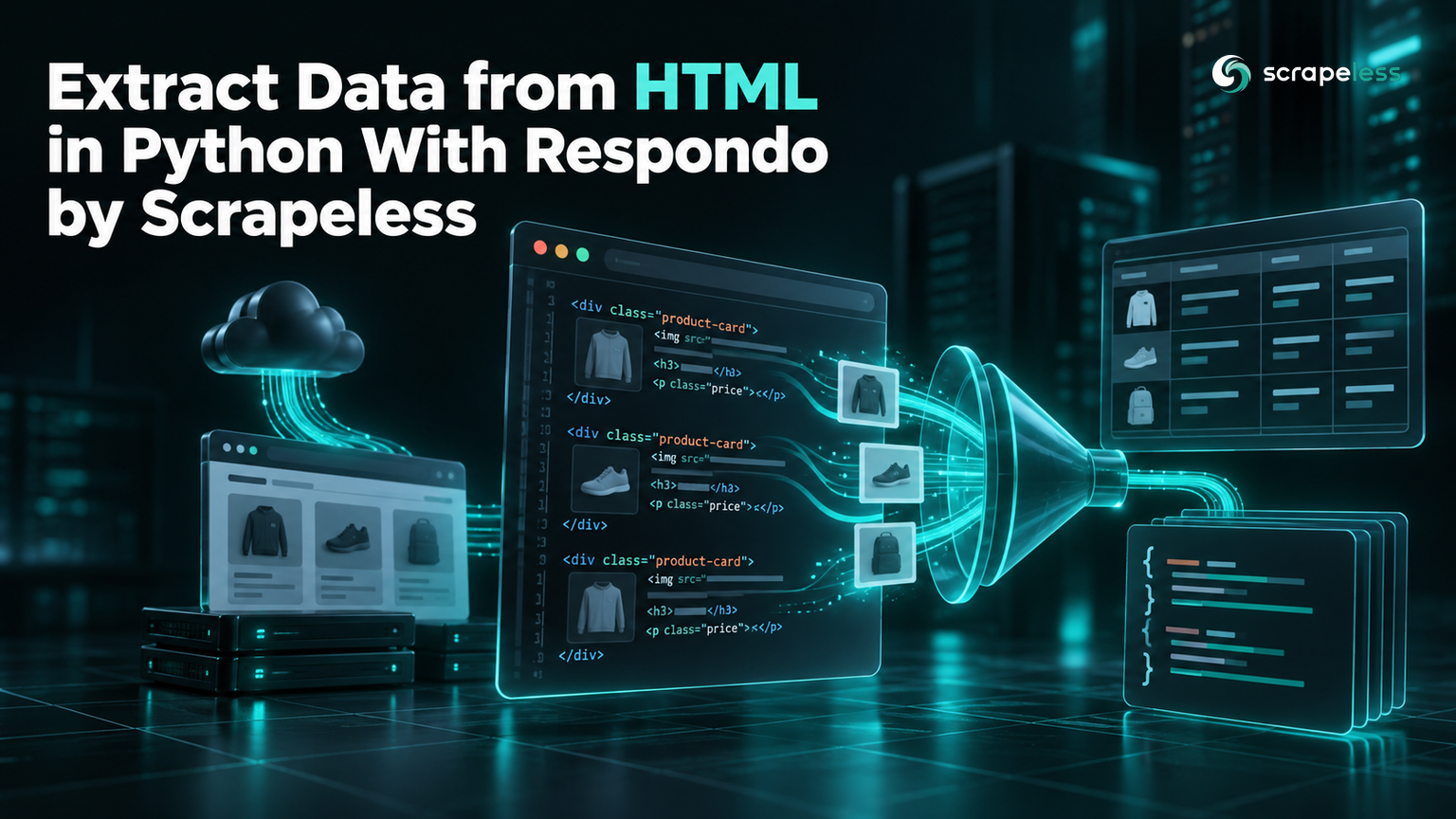
Extract Data from HTML in Python With Respondo by Scrapeless

Expert in Web Scraping Technologies
TL;DR:
- Respondo is Scrapeless's open-source Python library for turning HTML and JSON into records. It works on the pages and API responses you already have, and it has no runtime dependencies.
- Install version 0.6 from GitHub. The
respondopackage on PyPI is still at 0.4.0, which predates field recipes, JSON Lines helpers and batch mode. - A field recipe maps each column to a selector. Recipes can read an attribute instead of text and can live in a JSON file next to your code.
- CSV output is spreadsheet-safe by default. Values that start like formulas get an apostrophe prefix, and numbers stay numeric.
- Respondo does not fetch or render pages. The Scrapeless Universal Scraping API collects the HTML, and Respondo turns it into rows.
- Try the collection step on the Scrapeless free plan and extract your first page in a few minutes.
To extract data from HTML in Python, you need two things: the HTML itself, and code that turns tags into fields you can use. The second part tends to grow into one-off loops and CSV code that differ for every site.
Respondo packages that second part. You describe each field once, as a selector plus an optional attribute, and Respondo returns a list of dictionaries you can write to CSV or JSON Lines, from Python or from the command line. This guide builds a small book catalogue from a public practice site, then pairs Respondo with Scrapeless for the collection step.
What Respondo Is
Respondo is a local extraction toolkit maintained under the Scrapeless GitHub organization and published under the MIT license. Its source repository on GitHub describes the split in one line: collect with Scrapeless, then extract, transform and export with Respondo.
The library works on content you already have. Its HTML functions build on the standard library's html.parser module, so the installed environment holds nothing besides Respondo itself. Version 0.6 covers four kinds of work:
- repeated records from HTML, using CSS-style selectors and reusable field recipes;
- queries, flattening, projection and merge patches on JSON documents;
- page summaries, feeds and sitemaps;
- a
respondocommand with 21 modes, including batch processing of a whole folder.
Respondo does not fetch URLs or launch browsers, and it contains no Scrapeless API client. If you are still deciding what parsing involves, our overview of what data parsing is covers the concepts.
Install Respondo 0.6
Install Respondo straight from GitHub, pinned to a commit. It needs Python 3.9 or later:
bash
python -m pip install "git+https://github.com/scrapeless-ai/respondo@be376d112ecf681011a079e809acae46b7e1ff59"
respondo --version
text
respondo 0.6.0The commit pin keeps your environment on the exact code this guide was tested with. A plain pip install respondo installs version 0.4.0 from PyPI, and the functions used below are not in it. After the install, pip list shows only respondo and pip.
Define a Field Recipe
A field recipe is a dictionary that maps each output column to a rule for finding it inside one repeated item. A plain string is a selector whose text becomes the value. A dictionary adds options:
selectorfinds the element inside the current item.attrreads an attribute such ashrefortitleinstead of the text.required: Trueraises an error when an item has no match.many: Truereturns a list, anddefaultsets a fallback for a missing value.
Selectors cover tags, classes, IDs, attribute tests, descendant and child combinators, and comma groups. That is a deliberate subset of the W3C Selectors specification: pseudo-classes such as :nth-child and the sibling combinators are rejected with a ValueError rather than ignored.
Recipes can also live in a JSON file, which keeps selectors out of your code and lets the command line reuse them. Save this as book-fields.json:
json
{
  "title": {"selector": "h3 a", "attr": "title", "required": true},
  "price": ".price_color",
  "availability": ".availability",
  "url": {"selector": "h3 a", "attr": "href"}
}
The title field reads the link's title attribute on purpose. The visible link text on the practice site is shortened for long names, while the attribute holds the full title.
Extract Records and Write CSV
extract_records takes the HTML, a selector for the repeated item and the recipe, and returns one dictionary per item. This example uses two items copied from the practice site's mystery category:
python
from respondo import extract_records, normalize_url, records_to_csv

PAGE_URL = "https://books.toscrape.com/catalogue/category/books/mystery_3/index.html"
html = """
<article class="product_pod">
  <h3><a href="../../../sharp-objects_997/index.html" title="Sharp Objects">Sharp Objects</a></h3>
  <p class="price_color">£47.82</p>
  <p class="instock availability"><i class="icon-ok"></i> In stock</p>
</article>
<article class="product_pod">
  <h3><a href="../../../in-a-dark-dark-wood_963/index.html" title="In a Dark, Dark Wood">In a Dark, Dark ...</a></h3>
  <p class="price_color">£19.63</p>
  <p class="instock availability"><i class="icon-ok"></i> In stock</p>
</article>
"""

books = extract_records(html, "article.product_pod", {
    "title": {"selector": "h3 a", "attr": "title", "required": True},
    "price": ".price_color",
    "availability": ".availability",
    "url": {"selector": "h3 a", "attr": "href"},
})
for book in books:
    book["url"] = normalize_url(book["url"], base=PAGE_URL)

print(records_to_csv(books), end="")
text
title,price,availability,url
Sharp Objects,£47.82,In stock,https://books.toscrape.com/catalogue/sharp-objects_997/index.html
"In a Dark, Dark Wood",£19.63,In stock,https://books.toscrape.com/catalogue/in-a-dark-dark-wood_963/index.html
Three details are handled for you. The text of .availability comes back trimmed, without the icon element. The relative href becomes an absolute URL, resolved against the page address the way the URI specification's reference resolution rules describe. And the title that contains a comma is quoted in the CSV.
records_to_csv also guards against spreadsheet formula injection, a risk the OWASP entry on CSV injection describes. A string that starts with =, +, -, @, a tab or a line break gets an apostrophe in front, so =HYPERLINK(1) is written as '=HYPERLINK(1), while a real number such as -5 stays as it is. Pass escape_formulas=False only when the file never reaches a spreadsheet.
Go Further: Page Summaries, JSON Lines and the CLI
Records are one output. The same package also summarizes whole pages and handles JSON Lines, and its respondo command runs record extraction from the shell, for one file or a whole folder.
Summarize a whole page
extract_page returns the title, text, metadata, headings, links, images and tables of a document in one call. Run it on a saved copy of the mystery category page:
python
from respondo import extract_page

with open("mystery-page-1.html", encoding="utf-8") as handle:
    page = extract_page(
        handle.read(),
        base="https://books.toscrape.com/catalogue/category/books/mystery_3/index.html",
    )

print(sorted(page))
print(page["headings"][:2])
print(len(page["links"]), "links,", len(page["images"]), "images")
text
['headings', 'images', 'links', 'meta', 'tables', 'text', 'title']
[{'level': 1, 'id': '', 'text': 'Mystery'}, {'level': 3, 'id': '', 'text': 'Sharp Objects'}]
95 links, 20 images
The text, headings and links skip scripts, styles and the document head, and relative links are resolved against base.
Query JSON Lines
jsonl_dumps writes records as JSON Lines, one compact object per line, and iter_jsonl reads them back lazily. json_query then pulls values out with a small path language that always returns a list:
python
from respondo import iter_jsonl, json_query

with open("mystery-books.jsonl", encoding="utf-8") as handle:
    books = list(iter_jsonl(handle))

print(len(books), "records")
print(json_query(books, "$[*].title")[:3])
print(json_query(books, "[-1].price"))
text
20 records
['Sharp Objects', 'In a Dark, Dark Wood', 'The Past Never Ends']
['£20.89']
The path syntax covers dot keys, quoted keys, negative indexes and * wildcards. It has no filters or recursive descent, and a path that matches nothing returns an empty list.
Run the same recipe from the command line
The respondo command reads a local file and writes JSON by default, or CSV and JSON Lines with --format:
bash
respondo records mystery-page-1.html --selector article.product_pod --fields book-fields.json --format csv | head -4
text
title,price,availability,url
Sharp Objects,£47.82,In stock,../../../sharp-objects_997/index.html
"In a Dark, Dark Wood",£19.63,In stock,../../../in-a-dark-dark-wood_963/index.html
The Past Never Ends,£56.50,In stock,../../../the-past-never-ends_942/index.html
In records mode the URLs stay exactly as they appear in the page, even when --base is passed. Resolve them in Python with normalize_url when you need absolute links.
Process a folder of saved pages
Batch mode runs one recipe across every matching file in a directory, in filename order, and writes one outcome row per file:
bash
respondo records responses/ --batch --pattern '*.html' \
  --selector article.product_pod --fields book-fields.json \
  --format jsonl --output results.jsonl
python -c "import json; [print(row['source'], row['status'], len(row['result'])) for row in map(json.loads, open('results.jsonl'))]"
text
mystery-page-1.html ok 20
mystery-page-2.html ok 12
Each row carries source, status, result and error, so one unreadable file does not stop the rest. The two pages hold all 32 books in the category. Batch mode never overwrites: running the same command again stops with respondo: batch output exists and exit status 1, and an output path inside the input folder is refused as unsafe.
Where Respondo Stops: Collect the Page With Scrapeless
Respondo parses what it is given and nothing more. It does not download pages or run JavaScript, so its selectors only see the HTML they receive. For that step, the Scrapeless Universal Scraping API fetches a URL and returns the page, so the two halves stay separate: the API key belongs to the collection call, and extraction runs locally.
Setting this up now? The Scrapeless free plan covers your first requests.
This script collects the live mystery category page through the unlocker.webunlocker actor, then runs the same recipe on it. It reads your key from the SCRAPELESS_API_KEY environment variable:
python
import json
import os
import urllib.request

from respondo import extract_records, jsonl_dumps, normalize_url, records_to_csv

PAGE_URL = "https://books.toscrape.com/catalogue/category/books/mystery_3/index.html"
BOOK_FIELDS = {
    "title": {"selector": "h3 a", "attr": "title", "required": True},
    "price": ".price_color",
    "availability": ".availability",
    "rating": {"selector": "p.star-rating", "attr": "class"},
    "url": {"selector": "h3 a", "attr": "href"},
}


def fetch_html(url):
    payload = {"actor": "unlocker.webunlocker", "input": {"url": url, "method": "GET", "js_render": False}}
    request = urllib.request.Request(
        "https://api.scrapeless.com/api/v2/unlocker/request",
        data=json.dumps(payload).encode(),
        headers={"Content-Type": "application/json", "x-api-token": os.environ["SCRAPELESS_API_KEY"]},
    )
    with urllib.request.urlopen(request, timeout=120) as response:
        body = json.load(response)
    if body.get("code") != 200:
        raise RuntimeError(f"Scrapeless returned code {body.get('code')}")
    return body["data"]


html = fetch_html(PAGE_URL)
books = extract_records(html, "article.product_pod", BOOK_FIELDS)
for book in books:
    book["url"] = normalize_url(book["url"], base=PAGE_URL)
    book["rating"] = book["rating"].split()[-1]

print(len(books), "books")
print(records_to_csv(books[:3]), end="")

with open("mystery-books.jsonl", "w", encoding="utf-8") as handle:
    handle.write(jsonl_dumps(books))
text
20 books
title,price,availability,rating,url
Sharp Objects,£47.82,In stock,Four,https://books.toscrape.com/catalogue/sharp-objects_997/index.html
"In a Dark, Dark Wood",£19.63,In stock,One,https://books.toscrape.com/catalogue/in-a-dark-dark-wood_963/index.html
The Past Never Ends,£56.50,In stock,Four,https://books.toscrape.com/catalogue/the-past-never-ends_942/index.html
The API wraps the page in a JSON envelope, {"code": 200, "data": "<html>…"}, and urlopen raises an HTTPError for an HTTP failure before the envelope is read. The rating comes from the class list of p.star-rating, whose last class names the number of stars. The Universal Scraping API getting-started guide lists the other request options, such as proxy country and redirect handling.
Troubleshooting
| What you see | Cause | Fix |
|---|---|---|
ValueError: required field has no matches |
An item lacks a field marked required |
Check the selector against the page, or drop required and use default |
ValueError: unsupported selector syntax |
The selector uses a pseudo-class such as :nth-child |
Select by class, ID or attribute instead |
ValueError: expected a tag, class, ID or attribute selector |
The selector uses + or ~ |
Use descendant or child combinators |
| A column is empty for every row | The content is added by JavaScript after load | Request the page with js_render enabled |
| Relative URLs in CLI output | records mode keeps attribute values as they are |
Resolve them with normalize_url in Python |
| An apostrophe before some CSV values | Formula escaping is on by default | Keep it, or pass escape_formulas=False for trusted consumers |
respondo: batch output exists |
The output file is already there | Choose a new file name |
respondo: batch unsafe output path |
The output file is inside the input folder | Write the results somewhere else |
For pages that build their content in the browser, rendering pages with the Universal Scraping API walks through the options, and the JS Render documentation lists the parameters. Check pricing to see what rendered requests cost.
Conclusion
Respondo turns the extraction half of a scraping job into configuration: a selector for the repeated item and a recipe for its fields. From there, extract_records returns dictionaries that records_to_csv or jsonl_dumps turn into files. The respondo command runs the same recipe across a folder and reports an outcome for each page.
Keep the two halves apart. Install 0.6 from GitHub, collect pages with the Universal Scraping API, and let Respondo work on what comes back, without a network connection or credentials of its own.
Ready to feed Respondo real pages? Start with the Scrapeless free plan and collect your first page.
FAQ
Q: What is Respondo?
Respondo is an open-source Python library from Scrapeless that extracts, transforms and exports data from HTML and JSON you already have. It has no runtime dependencies and runs entirely on your machine.
Q: How do I install Respondo 0.6?
Install it from GitHub with python -m pip install "git+https://github.com/scrapeless-ai/respondo@be376d112ecf681011a079e809acae46b7e1ff59". The PyPI package is at 0.4.0 and lacks the features in this guide.
Q: Can Respondo download web pages?
No. Respondo only parses content you pass to it. Use the Scrapeless Universal Scraping API, or another source of HTML, for the download step.
Q: How do I extract data from HTML to CSV in Python with Respondo?
Call extract_records with the HTML, a selector for the repeated item and a field recipe, then pass the result to records_to_csv. From the shell, respondo records page.html --selector … --fields recipe.json --format csv does the same.
Q: Which CSS selectors does Respondo support?
Tags, classes, IDs, attribute tests, descendant and child combinators, and comma groups. Pseudo-classes and sibling combinators raise a ValueError.
Q: Why does my CSV have an apostrophe in front of some values?
Respondo prefixes strings that start with =, +, -, @, a tab or a line break, so spreadsheets do not run them as formulas. Numbers are left alone, and escape_formulas=False turns the prefix off.
Q: Does Respondo handle pages rendered with JavaScript?
Respondo parses the HTML it receives and does not run scripts. Fetch such pages with JavaScript rendering enabled in the Universal Scraping API, then pass the rendered HTML to Respondo.
At Scrapeless, we only access publicly available data while strictly complying with applicable laws, regulations, and website privacy policies. The content in this blog is for demonstration purposes only and does not involve any illegal or infringing activities. We make no guarantees and disclaim all liability for the use of information from this blog or third-party links. Before engaging in any scraping activities, consult your legal advisor and review the target website's terms of service or obtain the necessary permissions.