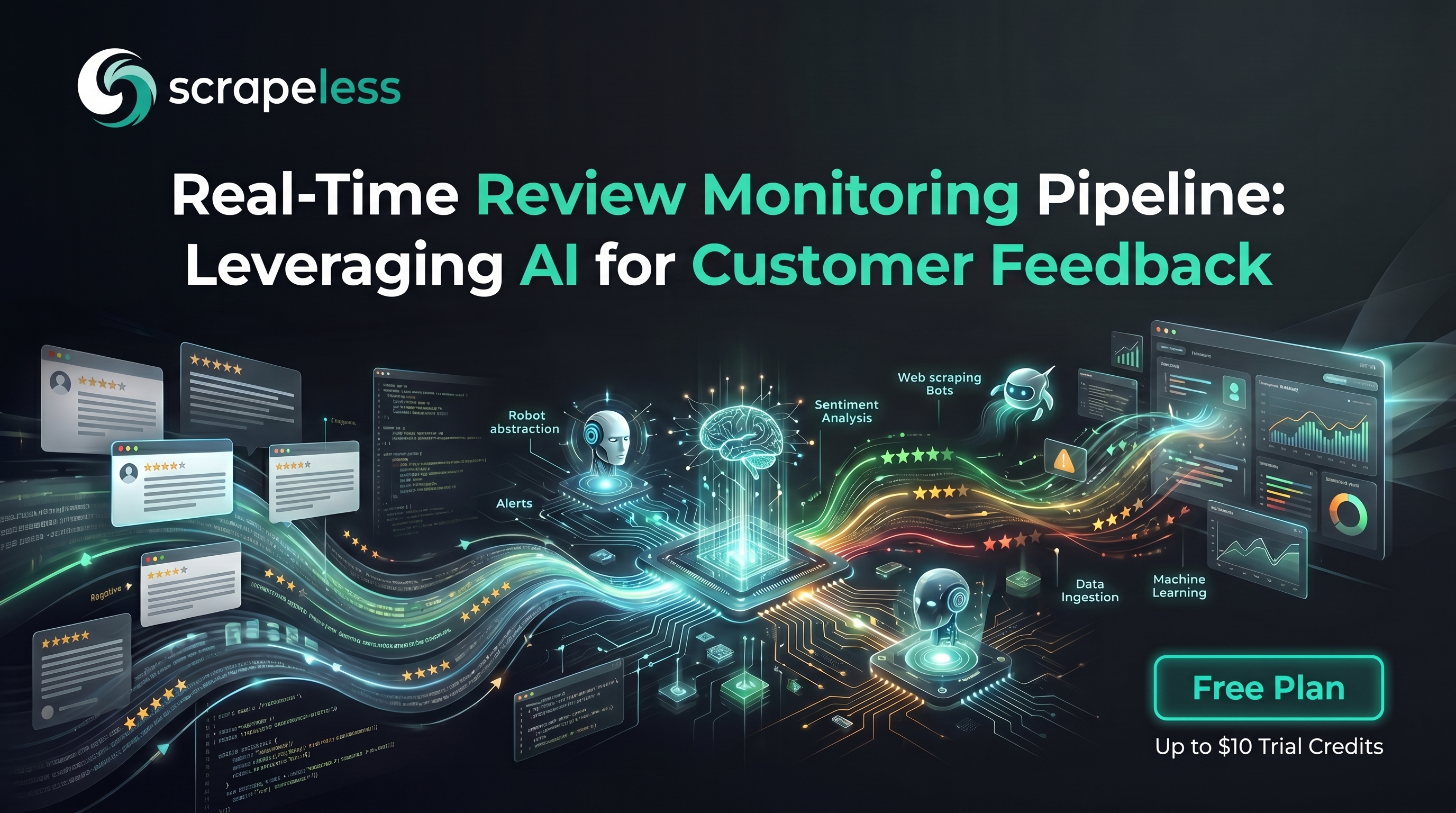
Real-Time Review Monitoring Pipeline: Leveraging AI for Customer Feedback

Advanced Bot Mitigation Engineer
TL;DR:
- Reviews are an early-warning system, not just marketing copy. A cluster of one-star reviews can flag a shipping failure, a billing bug, or a safety issue days before it reaches a support queue — but only if someone watches the public review pages on a schedule.
- The hard part is reaching the pages, not reading them. Most review surfaces render with JavaScript, paginate behind "load more" buttons, and challenge unfamiliar traffic; a plain HTTP request returns an empty shell or a bot wall.
- One primitive set covers every stage. The Scrapeless Scraping Browser renders publicly visible review pages,
scrape_markdownandscrape_htmlreturn clean text, and the same toolset feeds a normalize → analyze → store → alert pipeline. - Sentiment turns a feed into a signal. Once reviews are normalized to one schema, an LLM scores tone and topic, and a rolling baseline lets the pipeline alert on negative spikes rather than on every new review.
- Reviewer personal data is handled with care. The pipeline reads only publicly visible content, minimizes what it retains, and treats author identifiers as sensitive from the first stage onward.
- Free to start. New Scrapeless accounts include free Scraping Browser runtime — sign up at app.scrapeless.com.
Introduction: catch the negative spike before the inbox does
Public reviews are one of the fastest-moving sources of truth a brand has. When a product update breaks something, or a fulfillment partner drops the ball, or a competitor's customers start defecting, the signal usually shows up in reviews first — scattered across app stores, marketplaces, travel sites, and standalone review platforms — long before it consolidates into a support ticket trend or a churn number on a dashboard.
The problem is that reviews are easy to read one at a time and hard to monitor at scale. The pages render with JavaScript, hide older entries behind pagination or infinite scroll, vary their layout by region, and challenge traffic that does not look like a real browser. A naive script tends to come back with an empty container, a consent interstitial, or an anti-bot challenge instead of the content a human sees, and stitching together headless browsers, proxy pools, and session handling turns a simple "watch our reviews" idea into an infrastructure project.
This post walks through a review monitoring pipeline built on the Scrapeless Scraping Browser. The anti-detection cloud browser renders the publicly visible review pages, scrape_markdown and scrape_html hand back clean content, and from there the workflow normalizes each entry to one schema, scores sentiment with an LLM, stores the history, and alerts when negativity spikes. The same pattern that drives the agent use cases in the AI agent use-case guide applies here, pointed at review surfaces instead of product grids.
What You Can Do With It
- Watch your own brand across many surfaces. Track app-store listings, marketplace product pages, and standalone review sites for one product or a whole catalog on a single schedule.
- Detect negative spikes early. Compare today's sentiment against a rolling baseline and surface a sudden cluster of low ratings before it reaches support.
- Tag the why, not just the score. Let an LLM classify each review by topic — shipping, billing, quality, support — so a spike points at a cause.
- Benchmark against competitors. Run the same publicly visible read against competitor listings to see where sentiment diverges.
- Feed a weekly digest. Roll normalized reviews into a summarized report for product, support, and trust-and-safety teams.
- Export anywhere. Write normalized records to a spreadsheet, warehouse, or database for downstream BI, and fire a webhook into chat or an incident tool the moment a threshold trips.
Why Scrapeless Scraping Browser
The Scrapeless Scraping Browser is a customizable, anti-detection cloud browser designed for web crawlers and AI agents. For review monitoring specifically, it brings:
- A cloud browser that renders like a real one — JavaScript, lazy-loaded review lists, "load more" buttons, and consent flows are handled server-side, so the pipeline receives the same complete page a human would see.
- Residential proxies in 195+ countries — set the egress region per session so geo-localized review listings and locale-specific ratings come back the way a real visitor in that market sees them.
- Clean content out of the box —
scrape_markdownreturns readable Markdown with navigation and boilerplate stripped, andscrape_htmlreturns rendered HTML when the pipeline needs precise selectors. Both are ideal inputs for an LLM step. - Session persistence and anti-detection fingerprinting — warm a session, move through pagination, and keep behavioral consistency across requests without rebuilding browser state each time.
- Composable tools — the same
browser_*primitives,scrape_markdown, andscrape_htmlreassemble per source without per-site adapters, so adding a new review surface is a prompt change, not a new project.
Compare quotas on the pricing page when you outgrow it. Get your API key on the free plan at app.scrapeless.com.
The pipeline at a glance
The workflow has five stages, and each one hands a clean artifact to the next:
- Collect — render each publicly visible review page on a schedule and pull its content as Markdown or HTML.
- Normalize — map every source's layout into one review record schema.
- Analyze — score sentiment and classify topic with an LLM.
- Store and export — persist normalized, scored records to a database, warehouse, or spreadsheet.
- Alert — compare against a rolling baseline and fire a notification when negativity spikes.
The sections below take each stage in turn. The collection stage is grounded in Scrapeless tools; the later stages are standard data-pipeline work that the clean, normalized output makes straightforward.
Stage 1 — Collect publicly visible reviews on a schedule
Collection is the stage the cloud browser exists to solve: point a session at a review URL, let it render, and return the content. There are two surfaces, depending on how precise the extraction needs to be.
For most sources, scrape_markdown is the fastest path — it renders the page and returns clean, readable Markdown with navigation, ads, and footer boilerplate stripped, close to exactly the text an LLM wants to read. When the pipeline needs to anchor on specific DOM nodes — a star-rating element, a verified-purchase badge, a structured date — scrape_html returns the rendered HTML so a parser can target those selectors directly.
Both tools run on the anti-detection cloud browser with residential egress, so the page that comes back is the rendered, region-correct page rather than an empty shell or a challenge. A scheduled job (cron, a serverless timer, or a workflow runner) drives the cadence — hourly for a launch window, daily for steady-state monitoring.
A minimal collection step using the Scrapeless MCP tools looks like this. The stateless tools prefix their output with Response:\n\n before the body, so the pipeline strips that prefix before parsing.
python
import os, requests

# scrape_markdown / scrape_html run through the Scrapeless MCP Server.
# Both render publicly visible pages on the anti-detection cloud browser
# with residential egress, so the content matches what a real visitor sees.

REVIEW_URLS = [
    "https://example-marketplace.com/product/SKU-123/reviews",
    "https://example-reviews.com/listing/acme-app",
]

def collect(url: str) -> str:
    # In an MCP-driven agent this is a tool call: scrape_markdown(url=url).
    # The example below shows the equivalent intent for a standalone job.
    payload = {"url": url}  # add region/proxy_country at the session level
    text = call_scrape_markdown(payload)        # returns clean Markdown
    return text.removeprefix("Response:\n\n")    # strip the stateless-tool prefix

raw_pages = {url: collect(url) for url in REVIEW_URLS}
For paginated or infinite-scroll review lists, the browser primitives carry the heavier flow: browser_create mints a session, browser_goto lands on the listing, browser_scroll or a click on the "load more" control reveals older reviews, and browser_get_html returns the expanded page once the list has grown. Warm the session on the listing's parent page first so the review URL renders against an established, region-consistent session.
When a source localizes its reviews, pin the session's egress with the proxy country for that market. The same collection shape works whether the target is an app store, a marketplace product page, a travel listing, or a standalone review platform — only the URL and the selectors change.
Stage 2 — Normalize to one review record
Every review surface has its own layout, field names, and date format. The normalize stage flattens all of them into a single JSON schema so the downstream stages never have to know which source a record came from. A practical record keeps only what the pipeline needs and treats author identity as sensitive from the start:
json
{
  "source": "example-marketplace",          // which surface the review came from
  "review_id": "rv_8f21c0",                  // stable per-source identifier (hashed if needed)
  "product": "Acme Wireless Earbuds",        // the item or listing under review
  "rating": 2,                               // normalized to a 1–5 scale
  "title": "Stopped charging after two weeks",
  "body": "Worked great at first, then the case stopped holding a charge...",
  "review_date": "12-May-2026",              // normalized to DD-MMM-YYYY
  "author_display": "J. R.",                 // minimized: initials or a coarse handle only
  "verified": true,                          // verified-purchase flag where the source exposes it
  "language": "en",
  "collected_at": "25-May-2026"
}
Normalization is deterministic mapping: convert each source's rating scale to a common 1–5, parse dates into one format, and pull the title and body text. The clean Markdown from Stage 1 makes the title and body easy to isolate; the rendered HTML from scrape_html is what you reach for when a rating lives in a data- attribute or an icon count rather than visible text.
Two data-hygiene rules belong here. First, deduplicate — review pages re-render the same entries across runs, so key on a stable per-source review_id (hash it if the native ID is itself identifying) and drop repeats. Second, minimize personal data: keep author_display as initials or a coarse public handle, never collect data behind a login, and skip any field the analysis stage does not use. The compliance section below expands on why this matters.
Stage 3 — Analyze sentiment and topic
With every review in one schema, the analysis stage adds two derived fields — a sentiment score and a topic tag — and an LLM does both in a single pass. The clean text from the collection stage is exactly the input a model handles best, with no stray navigation or markup to confuse the prompt.
python
def analyze(review: dict) -> dict:
    prompt = (
        "Classify the customer review below.\n"
        "Return JSON with: sentiment (one of negative, neutral, positive), "
        "sentiment_score (-1.0 to 1.0), and topic (one of "
        "shipping, billing, quality, support, usability, other).\n\n"
        f"Title: {review['title']}\n"
        f"Body: {review['body']}"
    )
    result = call_llm(prompt)                 # your model of choice
    review.update(result)                     # adds sentiment, sentiment_score, topic
    return review

scored = [analyze(r) for r in normalized_reviews]
The topic tag is what turns an alert into something actionable. A spike of negative reviews all tagged shipping points support and operations at a fulfillment problem; the same spike tagged billing sends the same alert to a different team. Keep the label set small and fixed so the tags stay comparable across runs and across sources.
Get your API key on the free plan: app.scrapeless.com
Stage 4 — Store and export
The store stage persists each scored, normalized record so the pipeline can compute trends over time and so other teams can query the data without repeating collection. Any store works — a relational table, a warehouse, or a spreadsheet for a lightweight setup. The schema from Stage 2, plus the two derived fields from Stage 3, is the row.
Two design choices keep the store useful. Write append-only with the collected_at timestamp so the history is preserved and a rolling baseline is easy to compute, and index on source, product, and review_date so the alert stage can slice by any of them quickly. Export is then a read against the same store — a scheduled push to a BI tool, a daily CSV to a shared drive, or a sync to a warehouse for joins against support and sales data. Because the records are already normalized and scored, a downstream consumer sees the same shape whether the review came from an app store or a marketplace.
Stage 5 — Alert on negative spikes
The final stage is what makes the pipeline worth running on a schedule. Alerting on every new review is noise; alerting on a change in sentiment is signal. Compute a rolling baseline — say, the average sentiment score and negative-review count per product over the trailing seven days — and compare each new batch against it. When the negative count or the average score crosses a threshold relative to that baseline, fire a notification.
python
def check_spike(product: str, recent: list[dict], baseline: dict) -> bool:
    neg_now = sum(1 for r in recent if r["sentiment"] == "negative")
    # Spike = today's negatives well above the trailing baseline.
    return neg_now >= max(baseline["neg_avg"] * 2, baseline["neg_avg"] + 3)

def alert(product: str, recent: list[dict]) -> None:
    top = [r for r in recent if r["sentiment"] == "negative"][:5]
    requests.post(
        os.environ["ALERT_WEBHOOK_URL"],
        json={
            "text": f"Negative review spike for {product}",
            "examples": [
                {"topic": r["topic"], "title": r["title"], "rating": r["rating"]}
                for r in top
            ],
        },
        timeout=15,
    )
The webhook can target a chat channel, an incident tool, or an email gateway. Including the dominant topic and a few representative titles in the payload means the receiving team sees the what and the why in the same message — a shipping spike reads differently from a billing spike.
A scheduler ties the five stages together: on each tick it collects the latest publicly visible reviews, normalizes and scores them, appends to the store, recomputes the baseline, and checks for a spike. A daily cadence is usually enough for steady-state monitoring; during a launch or an active incident, tighten to hourly. Keep concurrency modest — roughly three sessions per host — so the collection stage stays well-behaved against any single source.
What You Get Back
After a full pass, each record in the store carries the normalized fields plus the two derived ones. The shape below is normative; the field values are illustrative samples.
json
{
  // illustrative sample — schema normative, field values illustrative
  "source": "example-marketplace",
  "review_id": "rv_8f21c0",
  "product": "Acme Wireless Earbuds",
  "rating": 2,
  "title": "Stopped charging after two weeks",
  "body": "Worked great at first, then the case stopped holding a charge...",
  "review_date": "12-May-2026",
  "author_display": "J. R.",
  "verified": true,
  "language": "en",
  "collected_at": "25-May-2026",
  "sentiment": "negative",          // added in Stage 3
  "sentiment_score": -0.72,          // added in Stage 3
  "topic": "quality"                 // added in Stage 3
}
A few honest observations about the output:
- Hydration timing varies by source. Some review lists populate immediately; others lazy-load on scroll. Wait for the review container to be present before reading the page, and let
browser_scrollreveal older entries on infinite-scroll listings. - Selectors rotate. Review sites redesign, and rating elements and verified-purchase badges move. Anchor on the most stable container available and re-confirm selectors after a visible redesign.
- Some fields are conditional. Verified-purchase flags, helpful-vote counts, and reviewer location appear on some sources and not others — treat absent fields as nullable rather than assuming they exist.
- Consent and region matter. Localized sources may show a consent interstitial or region-specific reviews; pin the session's egress to the target market so the content matches what a real visitor there sees.
- Sentiment is a model judgment. The score is a derived signal, not ground truth. Keep the original title and body alongside it so a human can verify any alert.
Handling reviewer personal data responsibly
Reviews are public, but they are written by people, and the names, handles, and sometimes locations attached to them are personal data. A monitoring pipeline should be built to need as little of that as possible.
The practical posture: collect only publicly visible content, never anything behind a login; minimize what you retain by storing initials or a coarse public handle instead of a full reviewer name wherever the analysis does not require more; and keep the body text for sentiment but avoid building a profile of any individual reviewer across sources. Where a jurisdiction's privacy rules apply, honor them — including any obligation to delete on request — and document a retention window so old records age out rather than accumulating indefinitely. The goal is aggregate signal about a product, not a dossier on a person, and the schema and retention rules should reflect that.
Conclusion: turn scattered reviews into one monitored signal
A review monitoring pipeline reduces to five moves: render the publicly visible page, normalize it, score it, store it, and alert on a spike. The Scrapeless Scraping Browser handles the one move that is genuinely hard — reaching the rendered, region-correct review page through JavaScript and anti-detection challenges — and scrape_markdown and scrape_html hand the rest of the pipeline clean input. Everything downstream is ordinary data work made easy by a normalized schema.
Pin the session egress to the market the reviews come from, keep author data minimized from the first stage, anchor on stable containers and re-confirm selectors after a redesign, and treat absent fields as nullable. For a broader look at composing the same primitives across many sources, see five Scrapeless MCP use cases and the AI agent use-case guide. Full setup for the tools and SDK is in the docs.
Ready to Build Your AI-Powered Data Pipeline?
Join our community to claim a free plan and connect with developers building review-monitoring pipelines: Discord · Telegram.
Sign up at app.scrapeless.com for free Scraping Browser runtime and adapt the patterns above to the review pages, products, and regions the pipeline needs.
FAQ
Q: Is monitoring online reviews legal?
The pipeline reads only publicly visible review content — never anything behind a login, a private account, or a restricted source. Reviews are written by people, so the names and handles attached to them are personal data; collect the minimum you need, store coarse identifiers rather than full names where possible, and honor applicable privacy rules including deletion obligations. Laws and platform terms vary by jurisdiction and by site, so review each source's terms of service and consult counsel for your specific use.
Q: Do I need a proxy?
Yes. Review pages evaluate IP reputation and often localize content, so the Scrapeless Scraping Browser uses residential proxies in 195+ countries. Pin the session's egress to the market the reviews come from so the ratings and review text match what a real visitor in that region sees.
Q: How often should the pipeline run?
Match the cadence to the risk. Daily collection is usually enough for steady-state brand monitoring; during a product launch or an active incident, tighten to hourly so a negative spike surfaces quickly. The scheduler drives the cadence — cron, a serverless timer, or a workflow runner all work.
Q: How does the pipeline handle dynamic, JavaScript-heavy review pages?
The anti-detection cloud browser renders the page server-side, so lazy-loaded lists, "load more" controls, and consent flows resolve before content is returned. Use scrape_markdown for clean text, scrape_html when you need to anchor on specific DOM nodes, and browser_scroll plus browser_get_html to reveal and capture paginated or infinite-scroll review lists.
Q: What's the difference between scrape_markdown and scrape_html here?
scrape_markdown returns clean, readable Markdown with navigation and boilerplate stripped — ideal as direct input to the sentiment step. scrape_html returns the rendered HTML, which is what you want when a rating, date, or verified-purchase badge lives in a structured DOM node that a parser needs to target precisely.
Q: Can this run without an AI agent?
Yes. The collection tools run as standalone calls and the normalize, store, and alert stages are ordinary code, so the whole pipeline works as a scheduled job. Driving it through an AI agent over MCP is the convenient path — the agent composes the same tools from a prompt — but it is not required.
Q: How do I keep selectors working when a review site redesigns?
Anchor on the most stable container the page exposes, and treat conditional fields as nullable. After a visible redesign, do a single fresh collection pass, confirm the container and field selectors against the new layout, and update the normalize mapping — the rest of the pipeline is unaffected because it only ever sees the normalized schema.
At Scrapeless, we only access publicly available data while strictly complying with applicable laws, regulations, and website privacy policies. The content in this blog is for demonstration purposes only and does not involve any illegal or infringing activities. We make no guarantees and disclaim all liability for the use of information from this blog or third-party links. Before engaging in any scraping activities, consult your legal advisor and review the target website's terms of service or obtain the necessary permissions.