Set-of-Mark Prompting: Give a Browser Agent Something It Can Click

Lead Scraping Automation Engineer
TL;DR:
- A vision model asked for pixel coordinates on a live catalogue page missed the target every single time — 0 of 5 trials in one session, 0 of 15 across three — and it was not random: at temperature 0 it returned nearly the same point every trial.
- Set-of-Mark prompting — numbering every clickable element and asking the model for an index instead of a coordinate — scored 5 of 5 in the same session and 15 of 15 overall, on the same page with the same model.
- Marking is not free: the prompt grew from 1,343 to 2,100 tokens (+56.4%), about $0.00021 per decision at the tested model's rate.
- On a remote CDP browser,
page.set_viewport_size()does not resize the layout viewport. Across twelve fresh sessions in three independent runs,innerWidthwas unchanged by the call and the real window ranged from 800 px to 3,840 px — never the size requested — while the screenshot was always exactly the size asked for. - That is the root cause: the image the model reasons about and the space your click lands in are different coordinate frames, and the offset changes per session. An index resolved through the DOM is immune to all of it.
- The Scrapeless free plan covers the cloud-browser runs in this guide.
A browser agent has to convert "open the second book" into a click at some specific place. That conversion — grounding — is where most agent runs quietly go wrong. The model reads the page correctly, explains its plan correctly, and then clicks somewhere that is not the thing it just described.
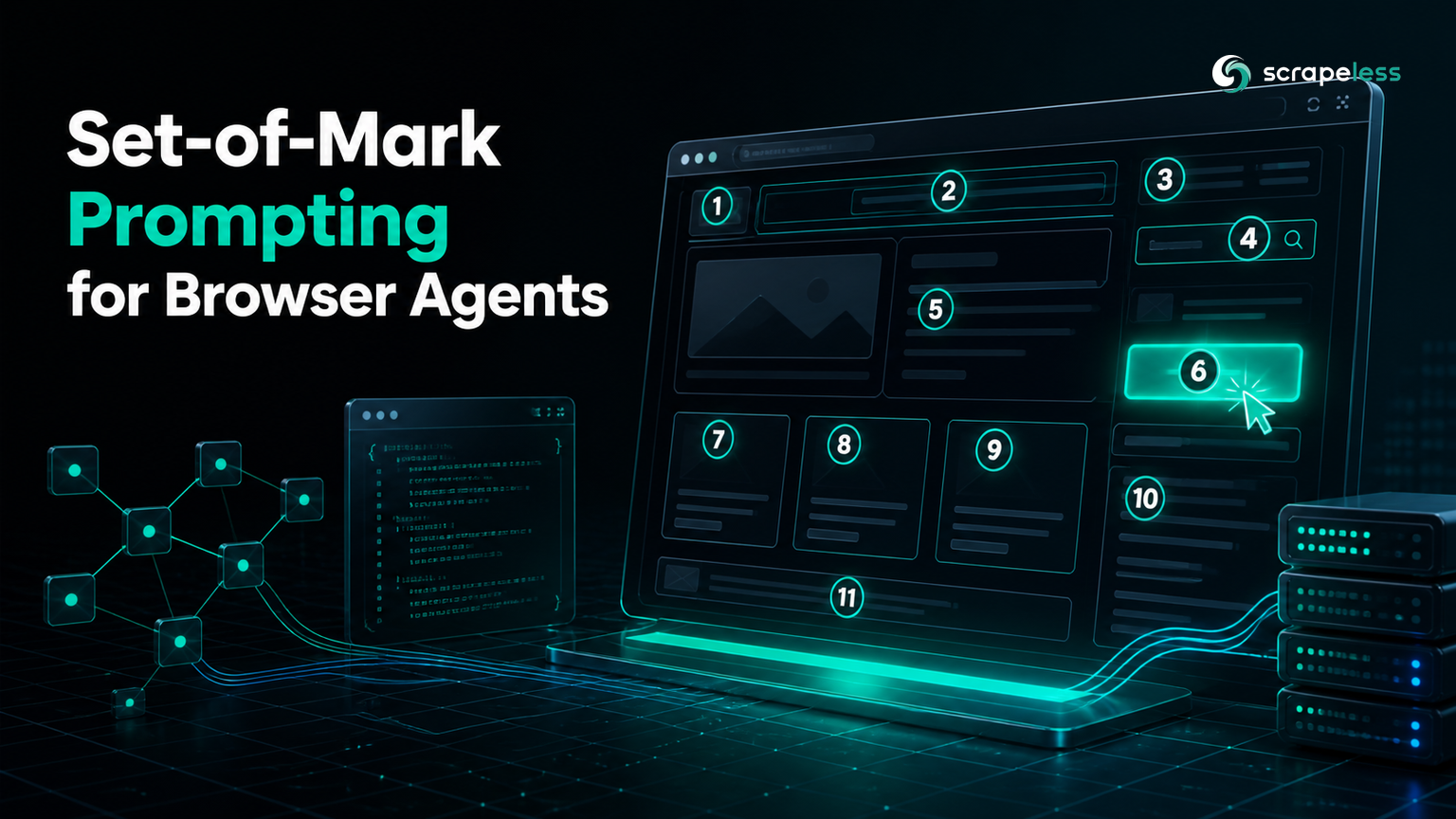
The usual fix is Set-of-Mark prompting: draw a numbered box over every clickable element, hand the model the picture plus a list of the numbers, and let it answer 60 instead of (564, 623). The technique comes from Microsoft's Set-of-Mark paper, and by now it is in most agent stacks in some form.
What is hard to find is a measurement. This guide builds both approaches against the same live page with the same model, runs each five times in a single session, and reports what actually happened — including the remote-browser detail that explains why the coordinate version fails so consistently.
Why Coordinates Fail
Start with the failing version, because the shape of its failure is the interesting part.
The task: on a live book catalogue, open the product page for the book titled Soumission. The model gets a screenshot and is asked for a click point.
python
import base64, json, os, urllib.request
from urllib.parse import urlencode
from playwright.sync_api import sync_playwright

TARGET = "https://books.toscrape.com/"
TASK = "open the product page for the book titled 'Soumission'"
MODEL = "google/gemini-2.5-flash-lite"
CDP = "wss://browser.scrapeless.com/api/v2/browser?" + urlencode({
    "token": os.environ["SCRAPELESS_API_KEY"], "sessionTTL": 300, "proxyCountry": "US"})


def ask(png, prompt):
    body = {"model": MODEL, "max_tokens": 200, "temperature": 0,
            "messages": [{"role": "user", "content": [
                {"type": "text", "text": prompt},
                {"type": "image_url", "image_url": {
                    "url": "data:image/png;base64," + base64.b64encode(png).decode()}}]}]}
    req = urllib.request.Request(
        "https://openrouter.ai/api/v1/chat/completions", data=json.dumps(body).encode(),
        headers={"Authorization": f"Bearer {os.environ['OPENROUTER_API_KEY']}",
                 "Content-Type": "application/json"})
    d = json.load(urllib.request.urlopen(req, timeout=120))
    return d["choices"][0]["message"]["content"].strip(), d["usage"]


with sync_playwright() as p:
    browser = p.chromium.connect_over_cdp(CDP)
    page = browser.new_page()
    page.set_viewport_size({"width": 1280, "height": 1400})
    page.goto(TARGET, wait_until="domcontentloaded")

    answer, usage = ask(page.screenshot(),
        f"This is a 1280x1400 browser screenshot. To {TASK}, give the pixel coordinates "
        f'of the element to click. Reply with JSON only: {{"x":int,"y":int}}')
    print("model answered:", answer)

    c = json.loads(answer[answer.index("{"):answer.rindex("}") + 1])
    landed = page.evaluate(
        "([x,y]) => { const e = document.elementFromPoint(x,y);"
        "return e ? (e.closest('a')?.getAttribute('href') || '<'+e.tagName+'>') : null }",
        [c["x"], c["y"]])
    print(f"click ({c['x']},{c['y']}) lands on -> {landed}")
    print("prompt tokens:", usage["prompt_tokens"])
    browser.close()
The model does not refuse, hedge, or return anything malformed. It answers immediately and confidently:
text
model answered: {"x": 564, "y": 623}
click (564,623) lands on -> <BODY>
prompt tokens: 1343
<BODY> means the click landed on nothing — empty page background, not a link at all. The agent will now report that it clicked, wait for a navigation that never happens, and carry on with a plan built on a step that silently did not occur.
Run it five times in the same session and the failure does not average out:
| trial | answer | element hit | result |
|---|---|---|---|
| 1 | (564, 623) | <BODY> |
MISS |
| 2 | (563, 630) | <BODY> |
MISS |
| 3 | (563, 630) | <BODY> |
MISS |
| 4 | (563, 630) | <BODY> |
MISS |
| 5 | (564, 623) | <BODY> |
MISS |
0 of 5. An unstable failure is survivable — you sample three times, take the majority, and move on. This failure is stable. At temperature 0 the model returns the same point within a few pixels, and every repeat lands in the same dead space. Self-consistency voting would return the wrong answer three times and call it consensus.
Repeating the whole comparison across three separate sessions gave the same verdict each time: 0 of 15 for coordinates. What changed between sessions was only how it missed — in one session every click landed on the product next to the target instead of on empty background. The target it hit changed with the session; that it missed did not.
The Frame Mismatch Underneath
The obvious explanation is that vision models are simply bad at precise coordinates, which the GUI-grounding literature supports at length. On a remote browser there is a second cause stacked on top of it, and it is worth knowing about because it also breaks approaches that do not involve a model at all.
Ask the page how big it thinks it is, before and after setting the viewport:
python
import os
from urllib.parse import urlencode
from playwright.sync_api import sync_playwright

CDP = "wss://browser.scrapeless.com/api/v2/browser?" + urlencode({
    "token": os.environ["SCRAPELESS_API_KEY"], "sessionTTL": 300, "proxyCountry": "US"})

with sync_playwright() as p:
    for run in range(1, 5):
        browser = p.chromium.connect_over_cdp(CDP)
        page = browser.new_page()
        before = page.evaluate("() => [innerWidth, innerHeight]")
        page.set_viewport_size({"width": 1280, "height": 900})
        page.goto("https://books.toscrape.com/", wait_until="domcontentloaded")
        after = page.evaluate("() => [innerWidth, innerHeight]")
        shot = page.screenshot()
        print(f"run{run}: innerWH before={before} after={after} png_bytes={len(shot)}")
        browser.close()
Four fresh sessions:
text
run1: innerWH before=[1550, 1050] after=[1550, 1050] png_bytes=196373
run2: innerWH before=[1240, 560] after=[1240, 560] png_bytes=116304
run3: innerWH before=[1680, 1002] after=[1680, 1002] png_bytes=171659
run4: innerWH before=[3840, 1152] after=[3840, 1152] png_bytes=5289
set_viewport_size() had no effect on the layout viewport — innerWidth and innerHeight are identical before and after the call in all four runs. The real window size is also not something you chose. Repeat runs of the same script returned 2,560×1,408, 1,920×1,070, 1,440×839, 800×570 and 3,840×1,050 among others; across twelve sessions in three runs the layout viewport was never once the size requested, and widths ranged from 800 px to 3,840 px.
The screenshot, meanwhile, was exactly the size asked for every time. Watch what that does in run4: a page laid out for a 3,840 px window, captured into a 1,280 px canvas, produced a 5 KB PNG where the other runs produced 116–196 KB. The crop caught mostly empty layout. That screenshot is what the model would have been asked to reason about.
The same script against a locally launched browser behaves the way you would expect, which is what makes this easy to miss in development:
text
local innerWH: [1280, 1400]
after set_viewport_size: [1280, 900]
Locally the call works and the frames agree. Attach to a remote browser and the call silently stops working.
So the page lays itself out for a 3,840 px window, the PNG handed to the model is 1,280 px wide, and the coordinate the model reads off that PNG is then spent against a DOM using the wider geometry. The two frames are related by a factor that changes every time you open a session — which is exactly why the miss lands on a neighbouring product in one session and on empty background in another. When connect_over_cdp attaches to an already-running browser, Playwright is a client of that browser rather than its owner, and viewport emulation is a property of contexts it creates itself — a distinction Playwright's context documentation draws explicitly.
The model is not guessing randomly. It is reading the image correctly and answering in the image's frame, and then that number is spent in a different one.
Marking Elements Instead
Set-of-Mark removes the frame problem by never transporting a coordinate across it. The model returns an index; the index is resolved back to an element by the page itself, in the page's own geometry.
The marking pass walks the interactive elements, filters to the ones a user could actually click, draws a numbered box over each, and returns a parallel list. Save it as mark.js:
javascript
() => {
  const sel = 'a[href], button, input, select, textarea, [role="button"], [onclick]';
  const out = [];
  document.querySelectorAll('#som-layer').forEach(n => n.remove());
  const layer = document.createElement('div');
  layer.id = 'som-layer';
  layer.style.cssText = 'position:fixed;inset:0;pointer-events:none;z-index:2147483647';
  document.body.appendChild(layer);
  const vw = innerWidth, vh = innerHeight;
  let i = 0;
  for (const el of document.querySelectorAll(sel)) {
    const r = el.getBoundingClientRect();
    if (r.width < 8 || r.height < 8) continue;
    if (r.bottom < 0 || r.top > vh || r.right < 0 || r.left > vw) continue;
    const cs = getComputedStyle(el);
    if (cs.visibility === 'hidden' || cs.display === 'none' || cs.opacity === '0') continue;
    const box = document.createElement('div');
    box.style.cssText = `position:absolute;left:${r.left}px;top:${r.top}px;width:${r.width}px;height:${r.height}px;border:2px solid #E11D48;box-sizing:border-box`;
    const tag = document.createElement('div');
    tag.textContent = i;
    tag.style.cssText = `position:absolute;left:${r.left}px;top:${Math.max(0, r.top - 14)}px;background:#E11D48;color:#fff;font:bold 12px monospace;padding:0 4px;line-height:14px`;
    layer.append(box, tag);
    out.push({ i, tag: el.tagName.toLowerCase(),
               name: (el.innerText || el.getAttribute('aria-label') || el.value || '').trim().slice(0, 60),
               x: Math.round(r.left + r.width / 2), y: Math.round(r.top + r.height / 2) });
    i++;
  }
  return out;
}
The size and visibility filters matter more than they look. Without the width < 8 || height < 8 test you mark tracking pixels and collapsed wrappers; without the viewport bounds test you mark the entire footer of a long page and hand the model numbers for things it cannot see. Both produce menus where the indices and the picture disagree, which is worse than no marks at all.
The overlay is one position:fixed layer with pointer-events:none, so it paints above the page without intercepting the click you are about to make and without reflowing anything underneath.
Every element's centre is captured from getBoundingClientRect() at marking time, in the page's coordinate system. That is the number the click will use, and it never makes a round trip through the image.
The Full Loop
Marking, screenshotting, asking for an index, and clicking it:
python
import base64, json, os, pathlib, urllib.request
from urllib.parse import urlencode
from playwright.sync_api import sync_playwright

TARGET = "https://books.toscrape.com/"
TASK = "open the product page for the book titled 'Soumission'"
MODEL = "google/gemini-2.5-flash-lite"
MARK_JS = pathlib.Path("mark.js").read_text()
CDP = "wss://browser.scrapeless.com/api/v2/browser?" + urlencode({
    "token": os.environ["SCRAPELESS_API_KEY"], "sessionTTL": 300, "proxyCountry": "US"})


def ask(png, prompt):
    body = {"model": MODEL, "max_tokens": 200, "temperature": 0,
            "messages": [{"role": "user", "content": [
                {"type": "text", "text": prompt},
                {"type": "image_url", "image_url": {
                    "url": "data:image/png;base64," + base64.b64encode(png).decode()}}]}]}
    req = urllib.request.Request(
        "https://openrouter.ai/api/v1/chat/completions", data=json.dumps(body).encode(),
        headers={"Authorization": f"Bearer {os.environ['OPENROUTER_API_KEY']}",
                 "Content-Type": "application/json"})
    d = json.load(urllib.request.urlopen(req, timeout=120))
    return d["choices"][0]["message"]["content"].strip(), d["usage"]


with sync_playwright() as p:
    browser = p.chromium.connect_over_cdp(CDP)
    page = browser.new_page()
    page.goto(TARGET, wait_until="domcontentloaded")

    marks = page.evaluate(MARK_JS)
    shot = page.screenshot()
    page.evaluate("() => document.querySelectorAll('#som-layer').forEach(n => n.remove())")
    print(f"marked {len(marks)} interactive elements")

    menu = "\n".join(f"[{m['i']}] <{m['tag']}> {m['name']}" for m in marks)
    answer, usage = ask(shot,
        f"The screenshot has numbered red marks on every clickable element.\n{menu}\n\n"
        f"To {TASK}, which mark do you click? Reply with JSON only: "
        '{"index":int}. Do not explain.')
    print("model answered:", answer)

    idx = json.loads(answer[answer.index("{"):answer.rindex("}") + 1])["index"]
    chosen = next(m for m in marks if m["i"] == idx)
    print(f"chose [{idx}] {chosen['name']!r}")

    with page.expect_navigation(wait_until="domcontentloaded"):
        page.mouse.click(chosen["x"], chosen["y"])
    print("landed on:", page.url)
    print("prompt tokens:", usage["prompt_tokens"])
    browser.close()
Output:
text
marked 85 interactive elements
model answered: {"index": 60}
chose [60] 'Soumission'
landed on: https://books.toscrape.com/catalogue/soumission_998/index.html
prompt tokens: 2100
Five trials, same session, same model, same temperature:
| trial | index | label | landed on | result |
|---|---|---|---|---|
| 1 | 60 | Soumission | soumission_998 |
HIT |
| 2 | 60 | Soumission | soumission_998 |
HIT |
| 3 | 60 | Soumission | soumission_998 |
HIT |
| 4 | 60 | Soumission | soumission_998 |
HIT |
| 5 | 60 | Soumission | soumission_998 |
HIT |
5 of 5, in the session where coordinates scored 0 of 5, and 15 of 15 across all three sessions.
The determinism cuts the other way now. The same property that made the coordinate failure unfixable — a stable answer at temperature 0 — makes the marked version reliably right instead of reliably wrong.
Expect the absolute numbers to move between sessions. Because the layout viewport is whatever the remote window happens to be, the same script marked 85 elements and picked index 60 in one session, and 52 elements and index 43 in another. Both landed on soumission_998. The counts are session-dependent; the destination is not, which is what resolving through the DOM buys you.
What It Costs
Marking adds the element menu to the prompt, and the menu grows with the page:
| approach | prompt tokens | cost per decision |
|---|---|---|
| raw screenshot → coordinates | 1,343 | $0.00014 |
| set-of-mark → index | 2,100 | $0.00021 |
| delta | +757 (+56.4%) | +49.1% |
The raw-screenshot prompt is a fixed 1,343 tokens because the image is a fixed size; the marked prompt scales with how many elements you decided to mark. Fifty-six percent more prompt for a page with 85 marked elements, at a rate where one decision costs about a fifth of a hundredth of a cent.
That scaling is the real argument for the visibility filters above: every element you decline to mark is tokens you do not spend and an index the model cannot pick by mistake. Against a 0-to-100% swing in whether the agent clicks the right thing, it is not a close call.
Where This Still Breaks
Set-of-Mark fixes grounding. It does not fix everything.
Canvas and WebGL surfaces have no elements to mark. A map, a charting canvas, or a game renders to pixels with no DOM structure underneath. Marking finds nothing and you are back to coordinates, or to whatever accessibility hooks the component exposes.
Marks are viewport-bound. Everything below the fold is unmarked by design, so an agent that needs an element further down has to scroll and re-mark. Treat marking as a per-observation step, not one-time setup.
Dense pages produce long menus. A page with 400 controls yields a 400-line menu, and the token bill lands on every step of the loop. Filter by role, by region, or by proximity to the task before you mark.
The index is only as good as the label. An element whose accessible name is empty shows up as [31] <a> and the model has nothing to reason with. That is the same naming problem screen readers hit, and the fix is the same one the Accessible Name and Description Computation already specifies: prefer aria-label, fall back to title or nearby text.
Re-marking after every navigation is mandatory. Indices are positional and get reassigned on the next render. Holding an index across a page transition is a bug that looks like a grounding failure.
Running It on a Cloud Browser
Everything above ran against the Scrapeless Scraping Browser over CDP, which is why the viewport finding surfaced at all — a local chromium.launch() gives you the viewport you asked for and hides the problem until you deploy.
Connecting is a WebSocket URL:
python
import os
from urllib.parse import urlencode

CDP = "wss://browser.scrapeless.com/api/v2/browser?" + urlencode({
    "token": os.environ["SCRAPELESS_API_KEY"],
    "sessionTTL": 300,
    "proxyCountry": "US",
})
print(CDP.split("?")[0])
proxyCountry pins the egress region, which matters for any catalogue that localises prices or availability. The rest of the loop is unchanged — Playwright's API is the same whether it launched the browser or attached to one, because both speak the Chrome DevTools Protocol underneath. If the protocol underneath is unfamiliar, the CDP primer covers the transport, and the computer-use agent loop covers the observe-decide-act cycle this grounding step slots into.
Two habits carry over from the measurements above. Read innerWidth and innerHeight from the page rather than assuming the viewport you requested — on a remote session those are different numbers. And resolve every click through an element the page handed you, never through a coordinate computed from an image.
Conclusion
The measurement is blunt. On the same page, with the same model and the same prompt, asking for pixel coordinates got the right element 0 times out of 15; asking for an index got it 15 times out of 15. The coordinate failure was not noise that repeated sampling would smooth over — at temperature 0 it returned the same point and missed the same way every time.
Underneath the model's grounding weakness sits a plainer bug: on a remote browser the screenshot and the DOM are not in the same coordinate system, and set_viewport_size() will not put them there. Numbering the elements sidesteps both problems for the price of a few hundred tokens.
Ready to build the loop against a managed browser? Start free with Scrapeless — the free plan covers every run in this guide, and pricing scales from there.
FAQ
Q: Why does my browser agent click the wrong element even though it describes the right one?
Because describing and locating are separate abilities. The model reads the page correctly and then has to emit a precise number, and precise numbers off an image are its weakest output. Add a remote browser, where the screenshot and the DOM use different coordinate frames, and the error stops being occasional and becomes systematic — in the runs above it missed on every one of 15 attempts.
Q: Is Set-of-Mark better than sending the DOM or the accessibility tree?
They solve different halves. A text representation tells the model what exists; marks tell it where those things sit on the picture it is looking at, and give it a token that resolves back to a real element. Marks also stay small — an index and a short label per element — where raw HTML on a modest catalogue page runs into five figures of tokens.
Q: How many tokens does marking add?
On the tested page, 757 tokens, taking the prompt from 1,343 to 2,100 — about 56% more for 85 marked elements. The raw-screenshot prompt is fixed because the image size is fixed; the marked prompt scales with the number of marks, so the visibility and size filters are doing cost control as much as accuracy control.
Q: Does this work on a remote or cloud browser?
It works better there, and it is more necessary there. Because the index resolves through getBoundingClientRect() inside the page, it is unaffected by the mismatch between the screenshot size and the remote window's real layout viewport — the mismatch that made the coordinate approach fail every time.
Q: Do I need to re-mark after every action?
Yes. Indices are assigned in document order over currently visible elements, so they are reassigned after any navigation, scroll, or DOM update. Mark as part of each observation step; reusing an index from a previous screenshot is the most common way this technique gets implemented wrong.
Q: What happens on pages with no clickable elements to mark?
Canvas, WebGL, and video surfaces render without a DOM structure to enumerate, so marking returns nothing useful. Those need a different strategy — accessibility hooks where the component provides them, or a coordinate approach with the frame mismatch explicitly corrected for.
At Scrapeless, we only access publicly available data while strictly complying with applicable laws, regulations, and website privacy policies. The content in this blog is for demonstration purposes only and does not involve any illegal or infringing activities. We make no guarantees and disclaim all liability for the use of information from this blog or third-party links. Before engaging in any scraping activities, consult your legal advisor and review the target website's terms of service or obtain the necessary permissions.